Lending Bot Plan Comparison
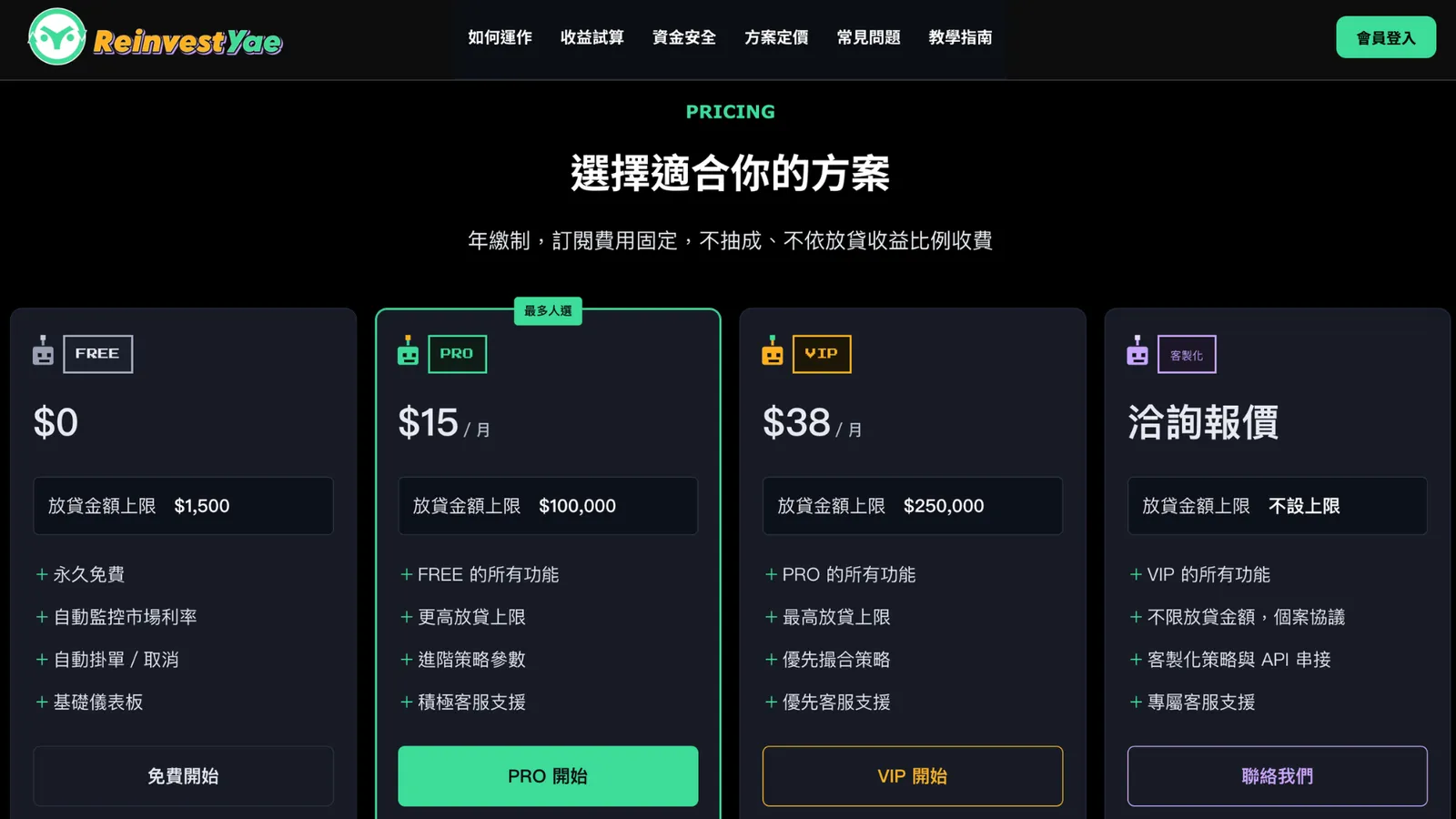
ReinvestYae offers four lending bot plans: FREE, PRO, VIP, and Custom. The features build up as you go up the plans.
No matter which plan you pick, the bot lends for you 24/7, fully automatically. You never have to watch the market yourself. What changes between plans is how fast the bot runs, which affects the rates it can catch, plus how many currencies you can lend, your amount limit, whether you can customize the lending period, whether you can download reports, and whether you can connect your own tools.
In this video, I'll walk you through the differences between all four plans, so you can pick the one that fits your funds and how you like to use things.

1. FREE Plan: Free to Start, Great for Trying It Out With a Small Amount
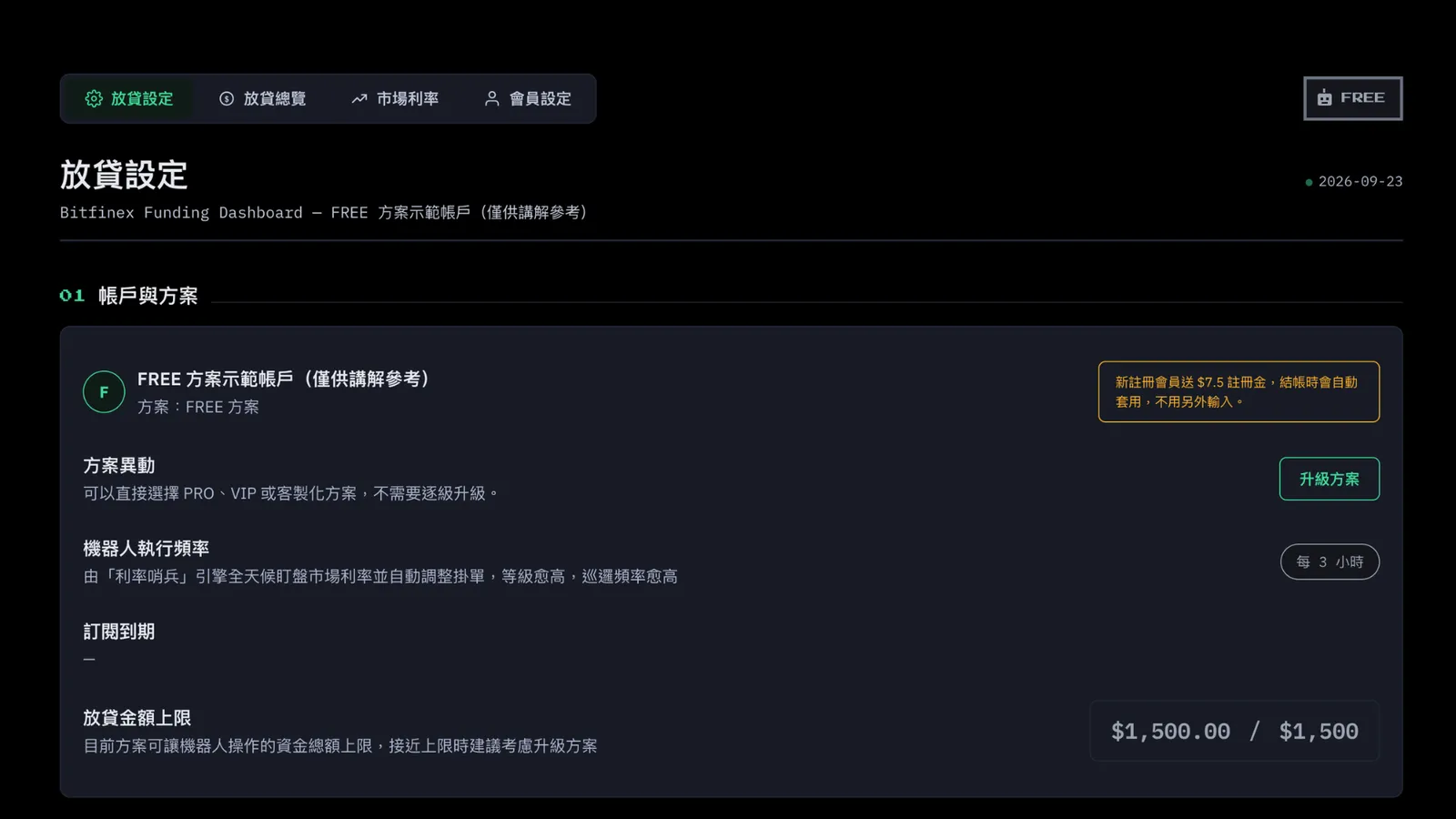
Account and Plan
Bot run frequency:
once every 3 hours
Lending amount limit: $1,500
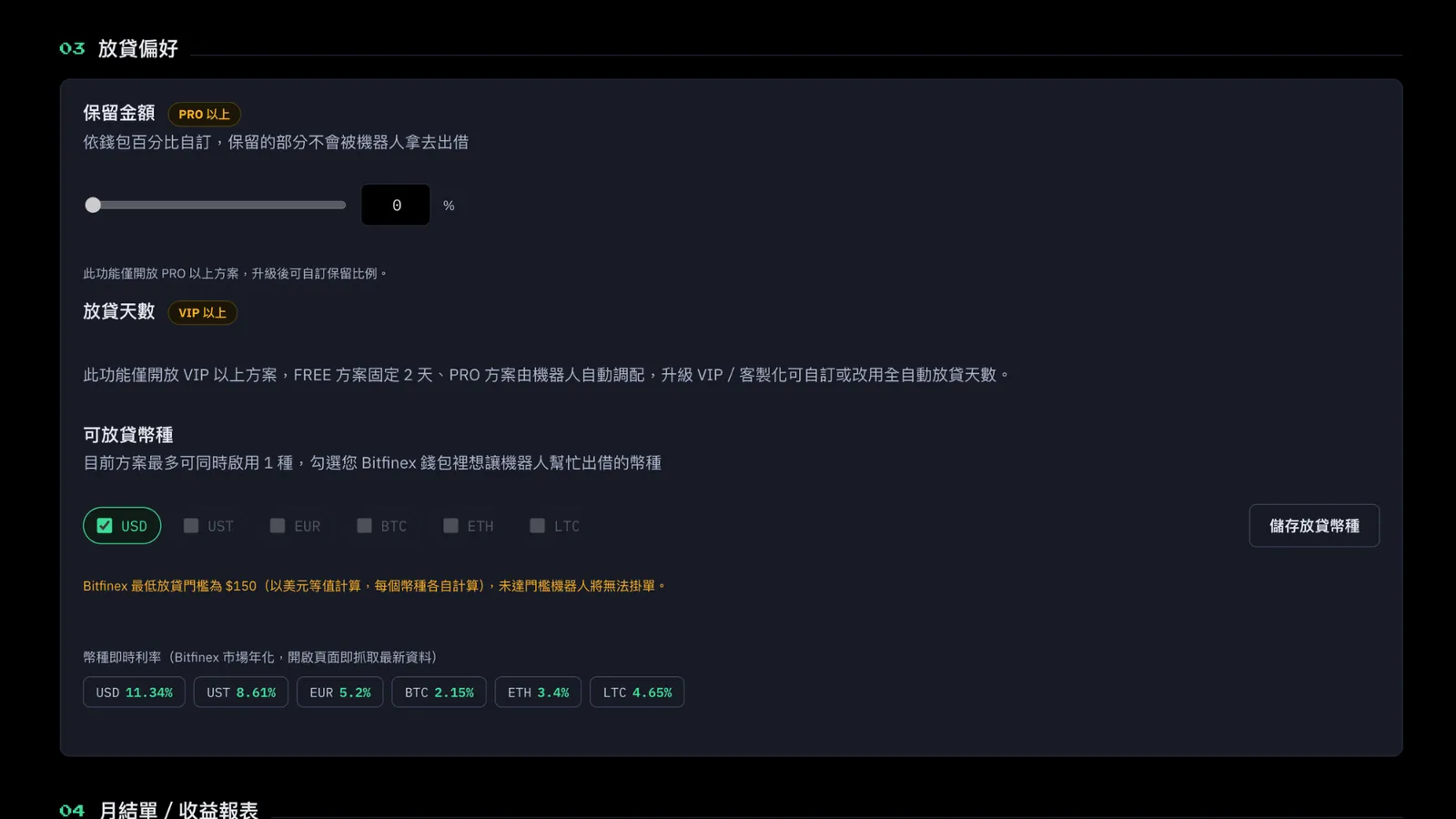
Lending Preferences
Reserve Amount: FREE doesn't have the option to keep part of your funds out of lending. That's a PRO-and-above feature.
Lending Period: fixed at 2 days. The bot lends automatically and you can't change the number of days. Being able to adjust the days yourself is a VIP-and-above feature.
Currencies: FREE is limited to 1 currency.
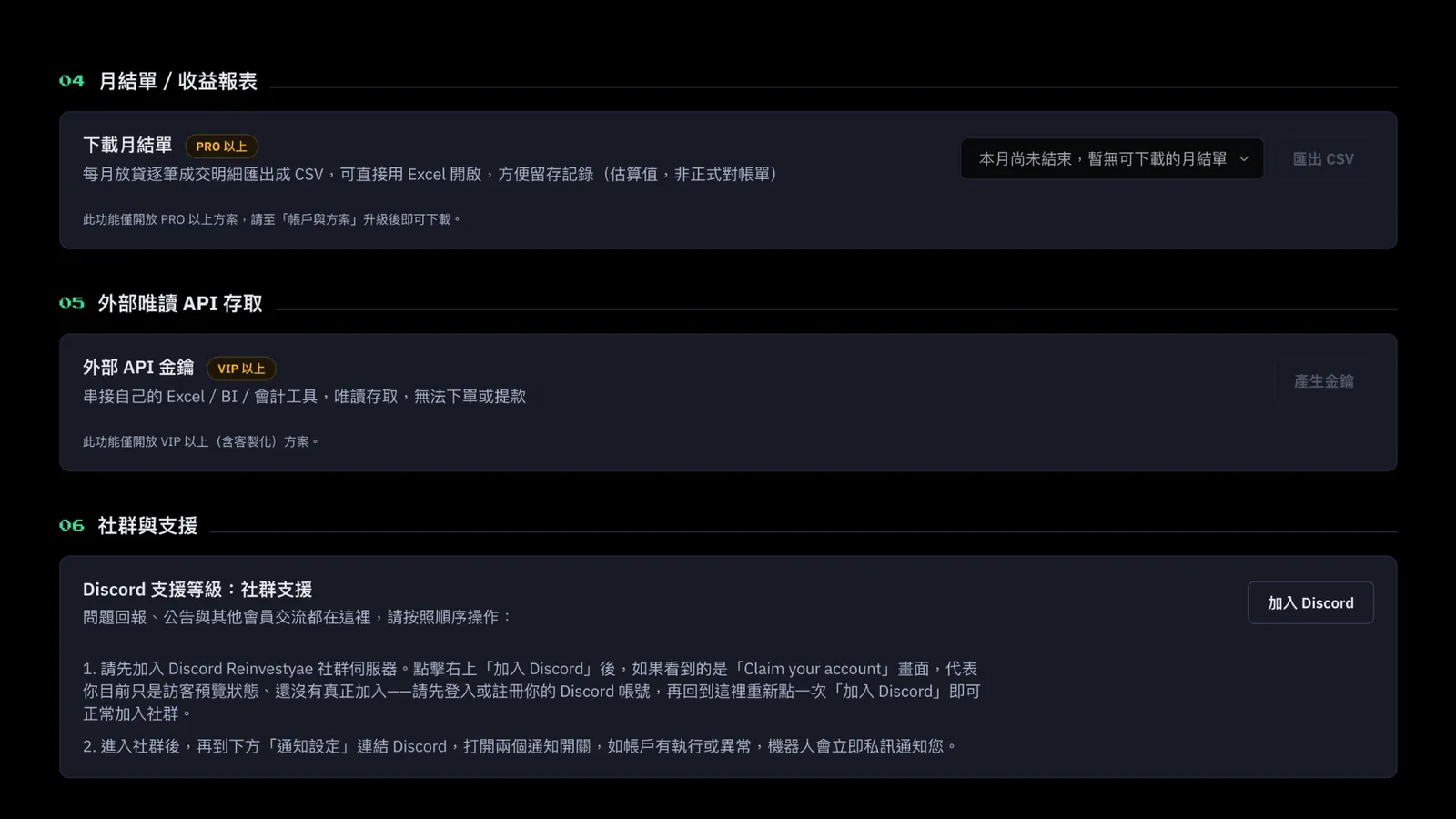
Monthly Statement / Earnings Report Download
FREE doesn't have it. That's a PRO-and-above feature.
External Read-Only API Access
FREE doesn't have it. That's a VIP-and-above feature.
Community and Support
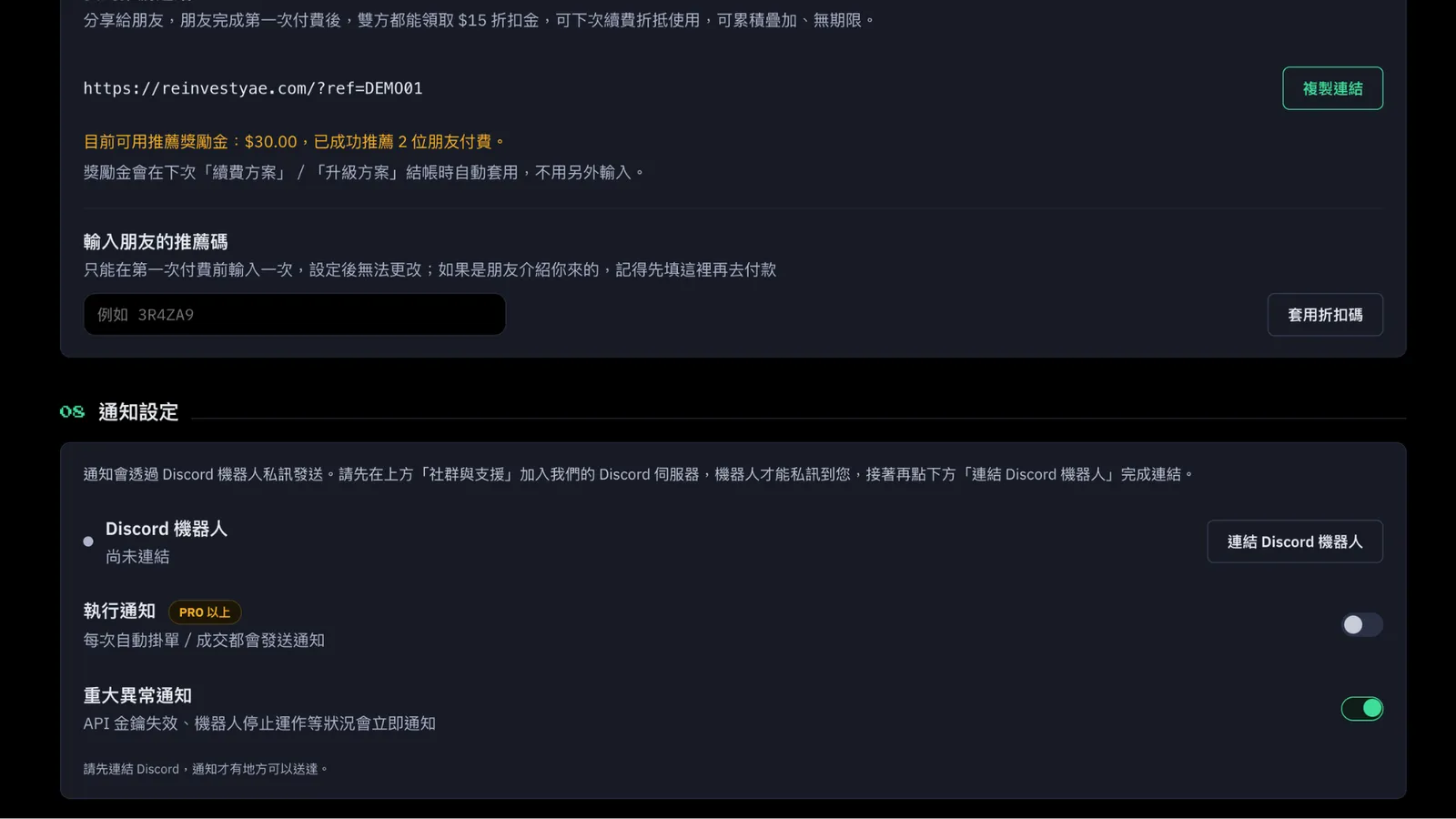
Every plan can join the ReinvestYae Discord community. FREE gets community support only.
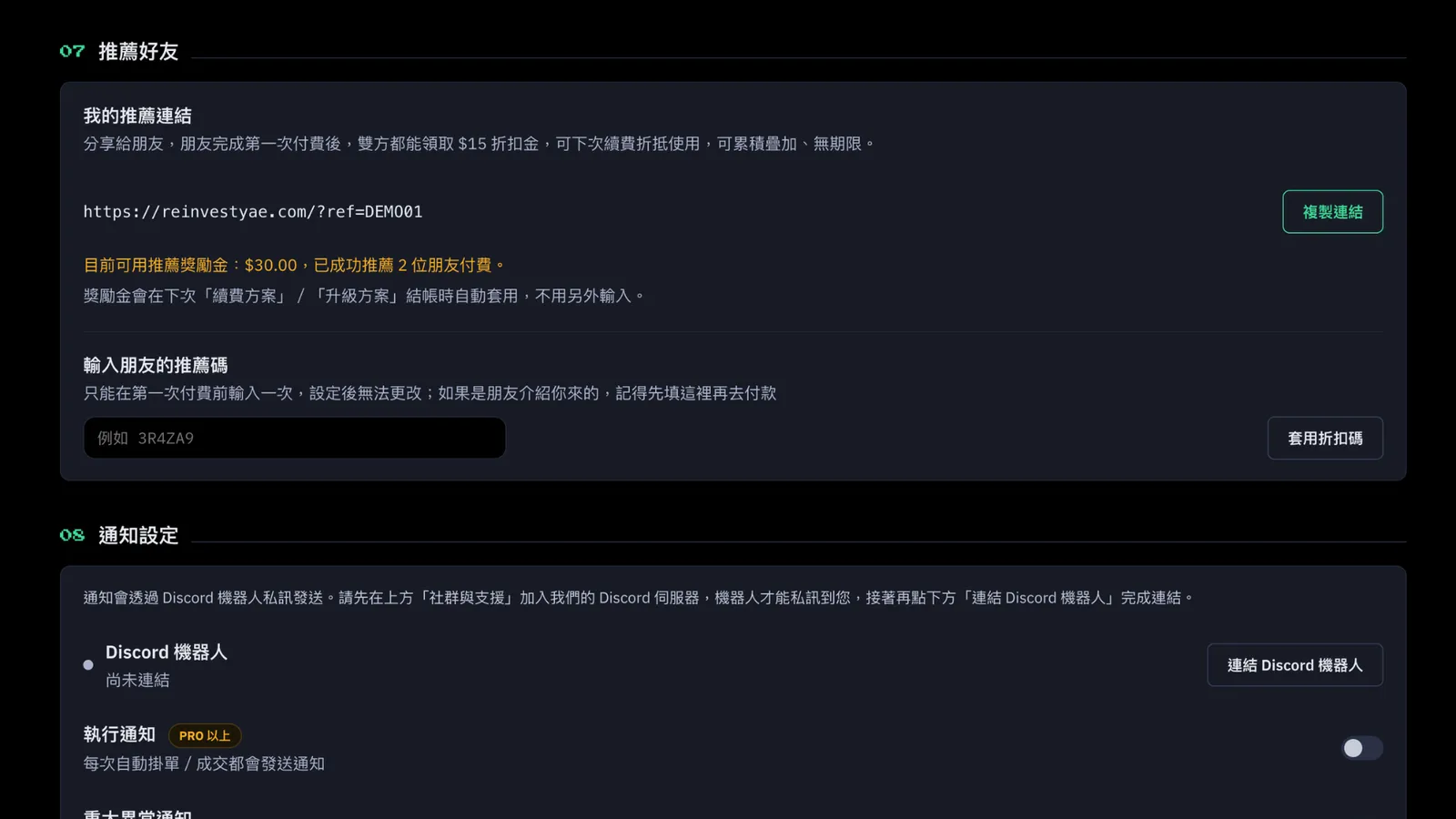
Refer a Friend
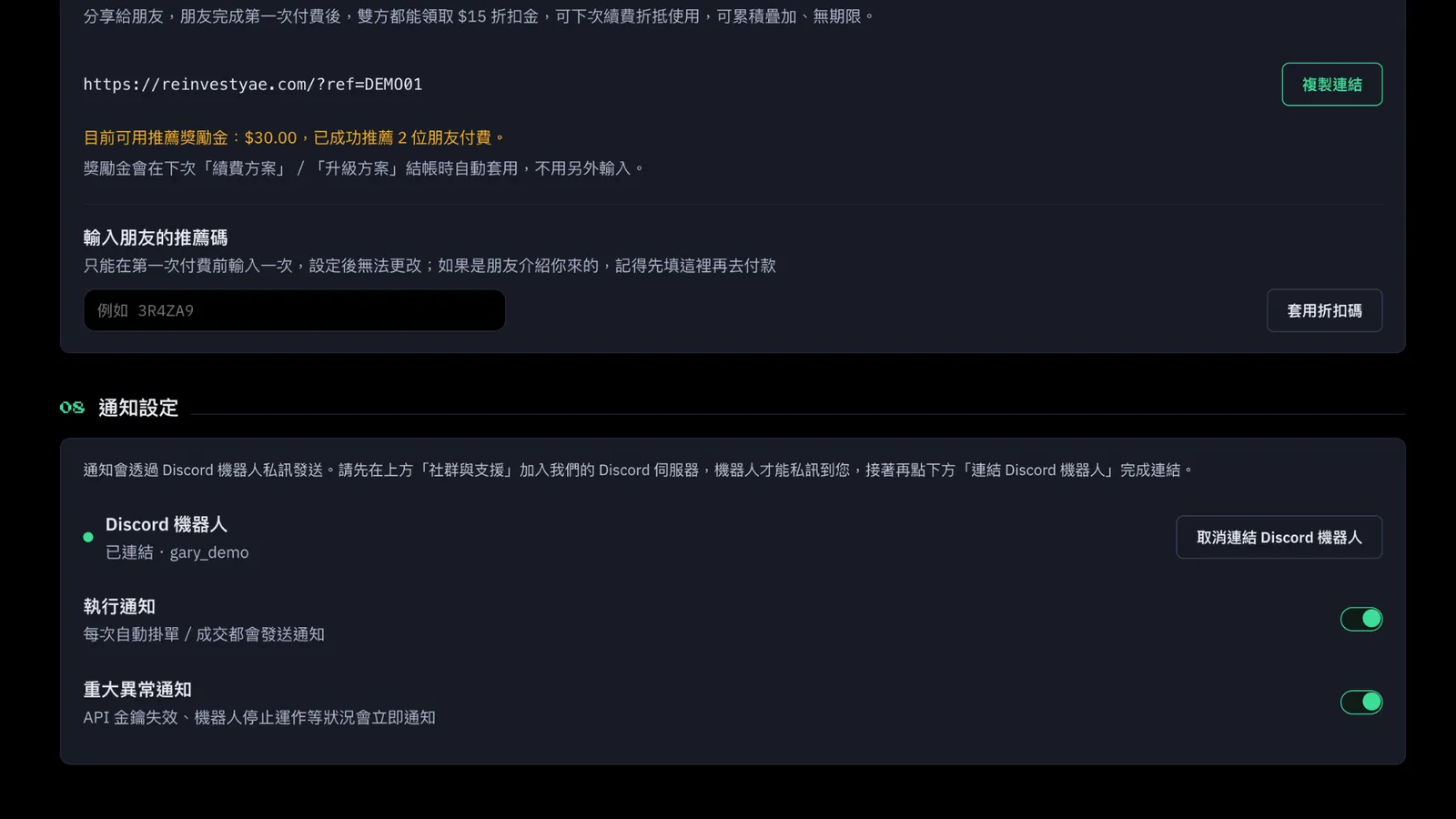
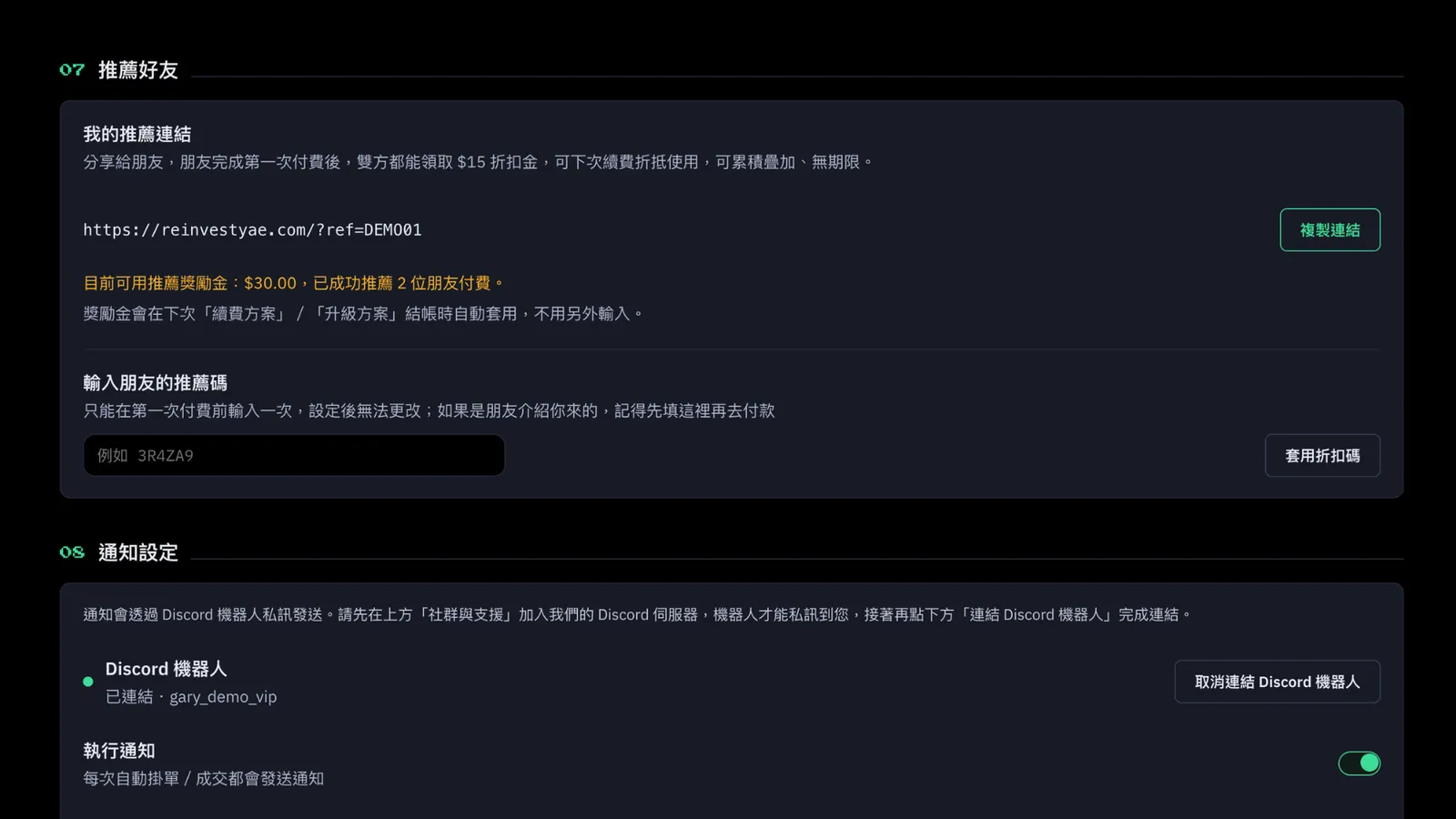
Every plan can share with friends and earn a $15 discount credit.
Discord Bot
Bot notifications: yes, but FREE only gets critical alerts. Offer and match notifications are for PRO and above.
FREE Lending Overview
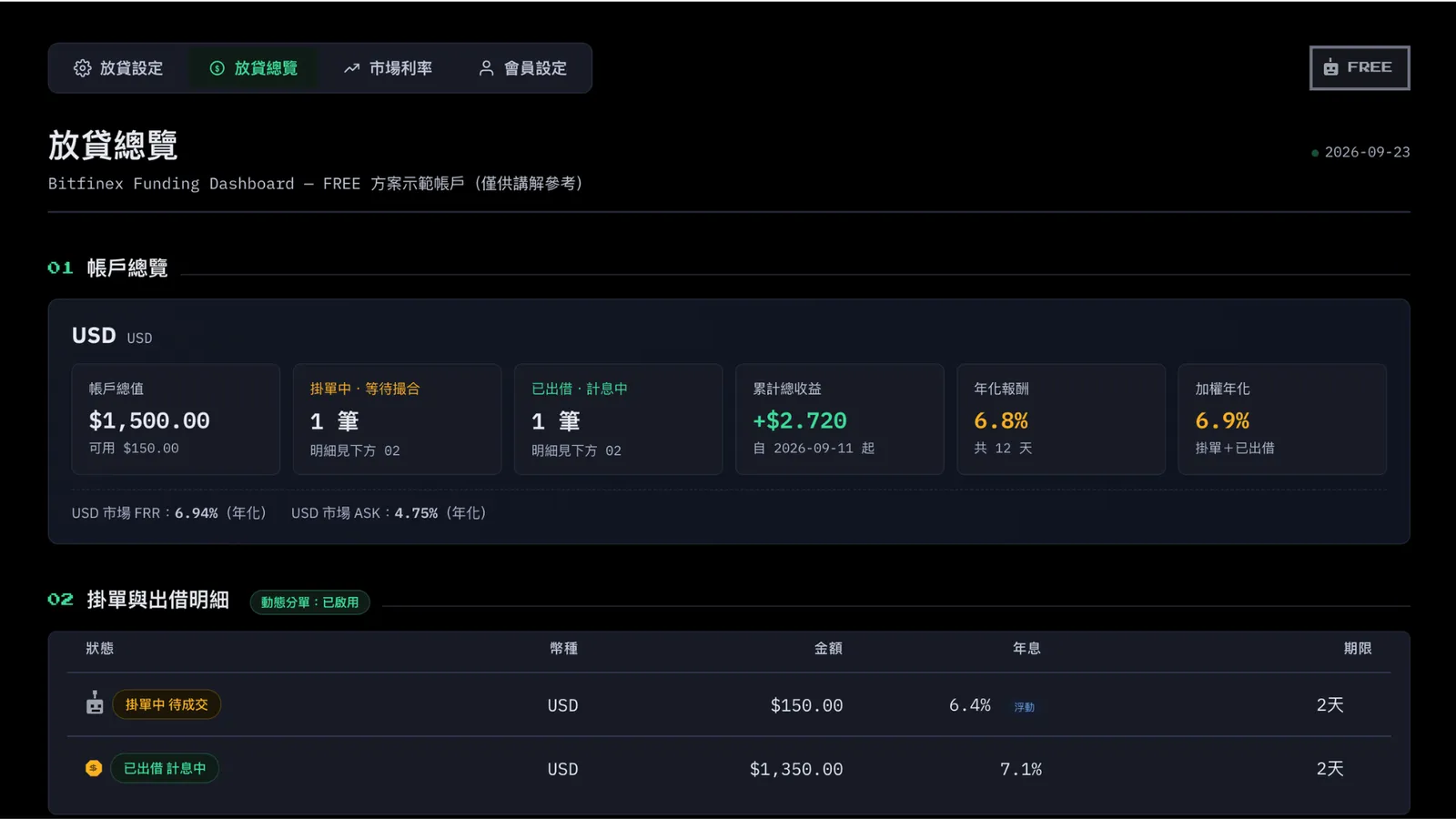
Account Overview: you'll see your lending amount, how many offers and loans you have, your annual rate, and your weighted annual rate. This is the entry-level tier for all of it.
Offers and Loan Details:
when an offer is pending, you'll see your plan's robot. On FREE, it's a gray robot. (A robot means the bot has already put your funds out there and is waiting for a borrower. A coin means the loan went through and you're now earning interest.)
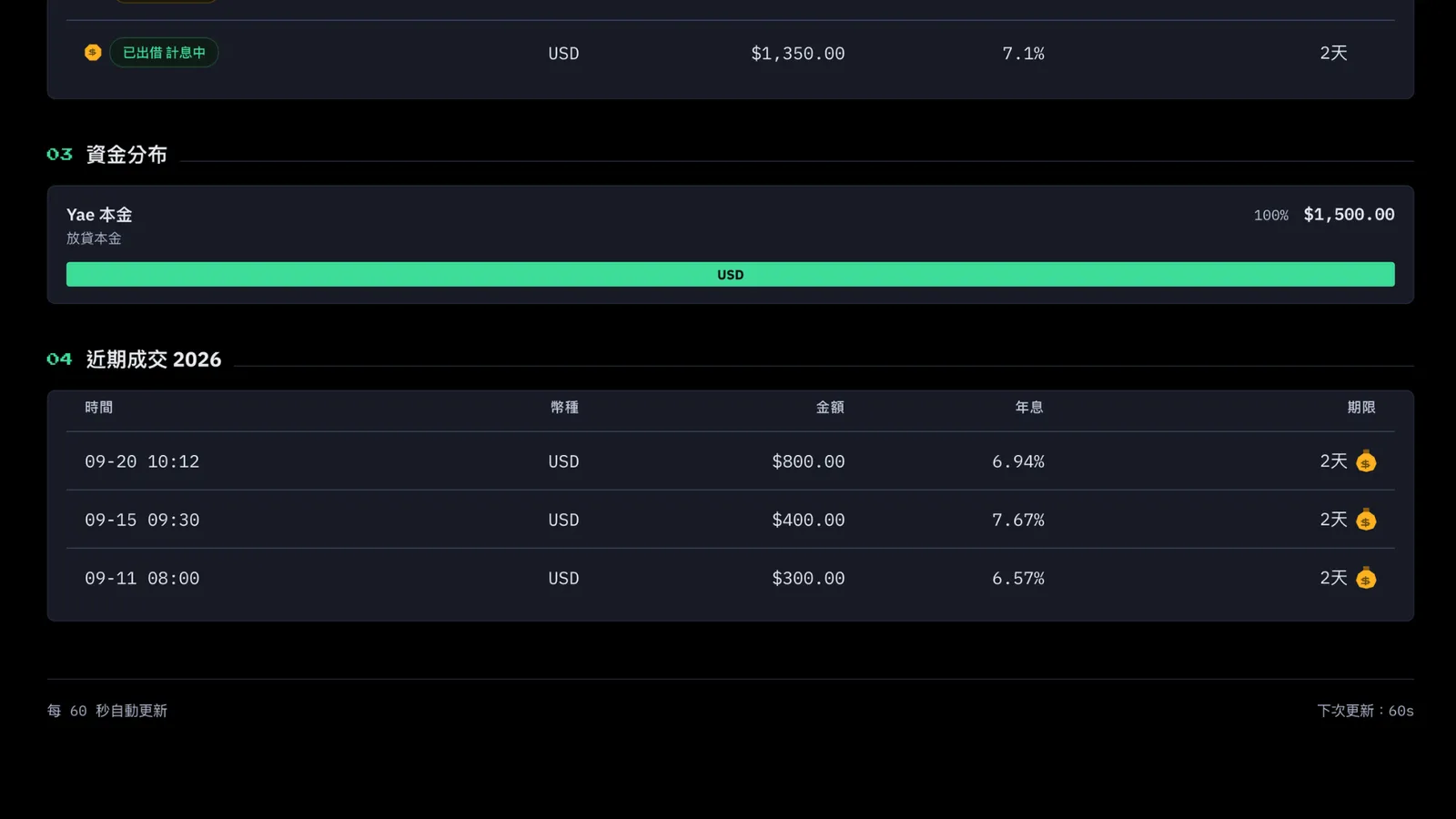
Recent Trades:
on FREE, the speed is the base frequency, and the interest rate you get is the base rate. A money bag means you've earned that interest back.
FREE Market Rates
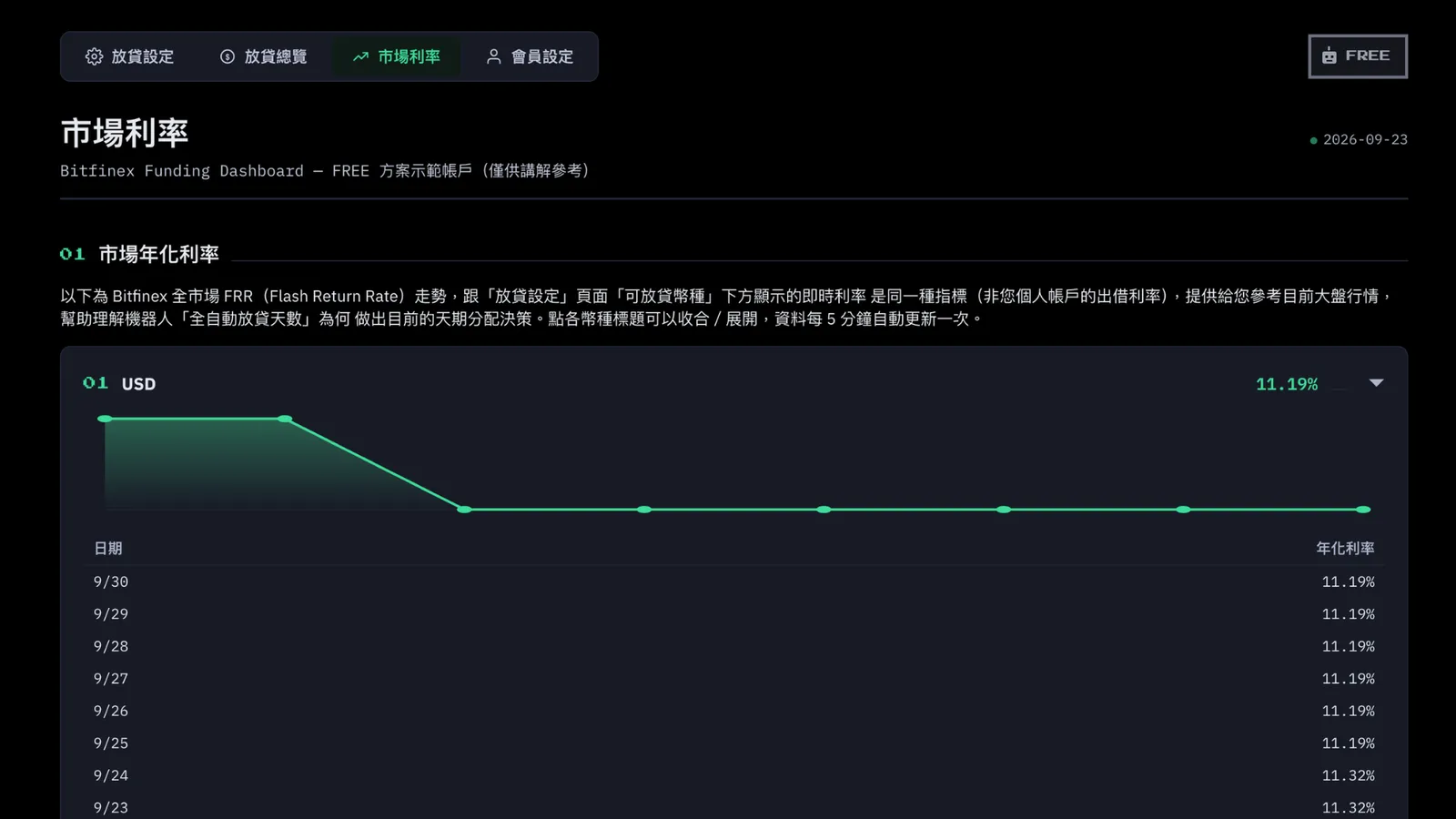
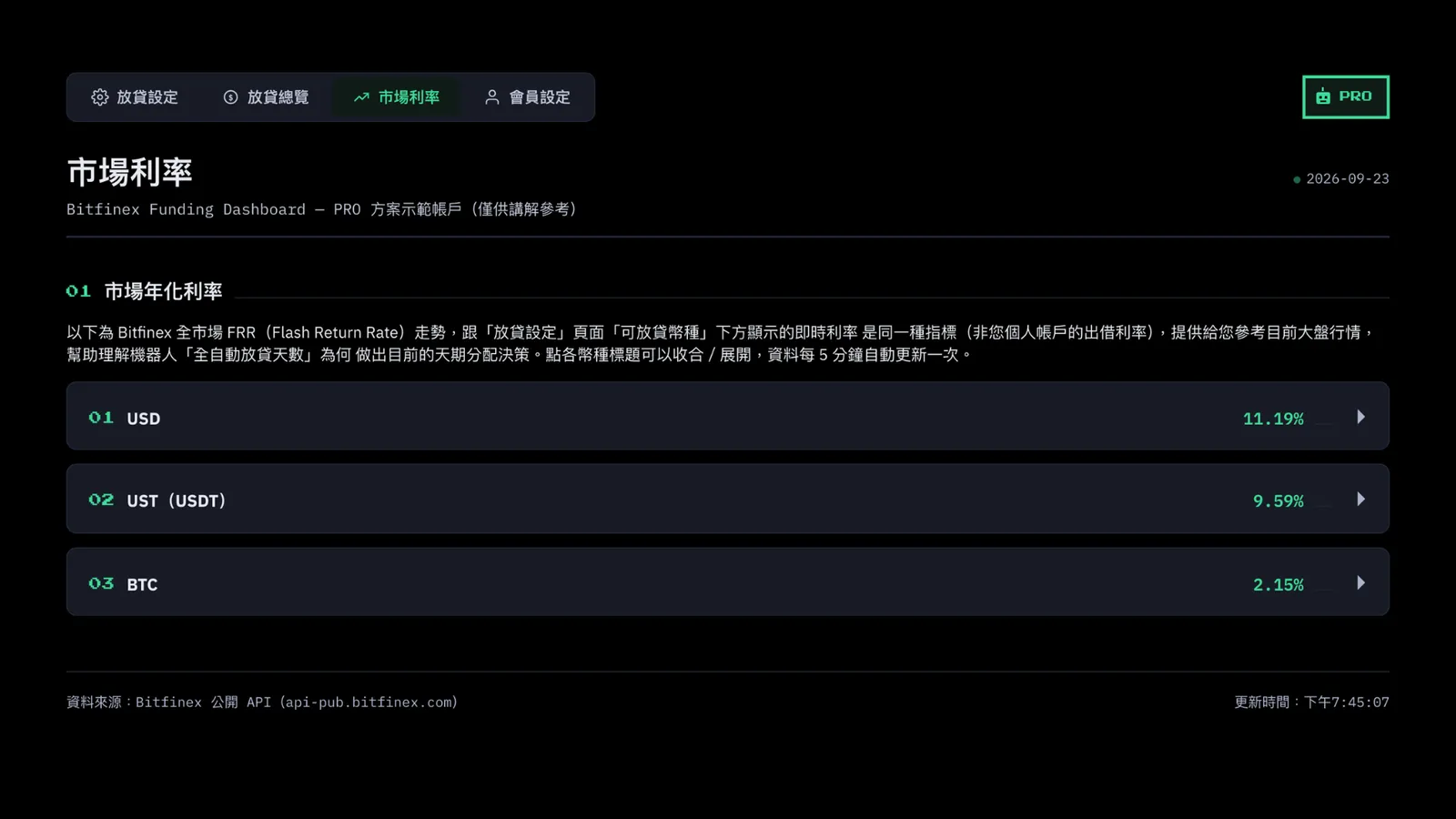
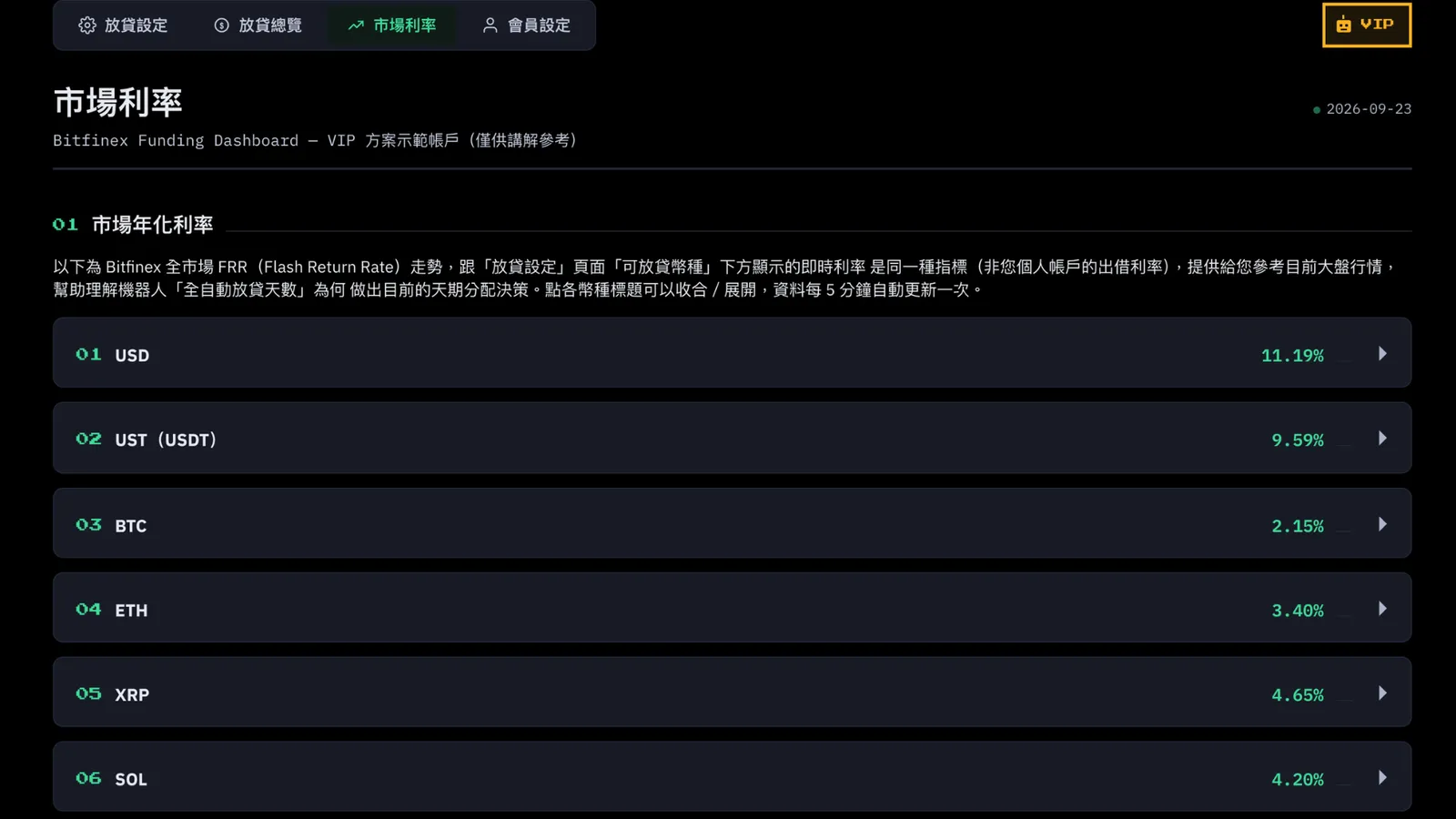
This tab shows live rates across the whole Bitfinex market. It's separate from the rates on your own loans. It's just there as a market reference for you.
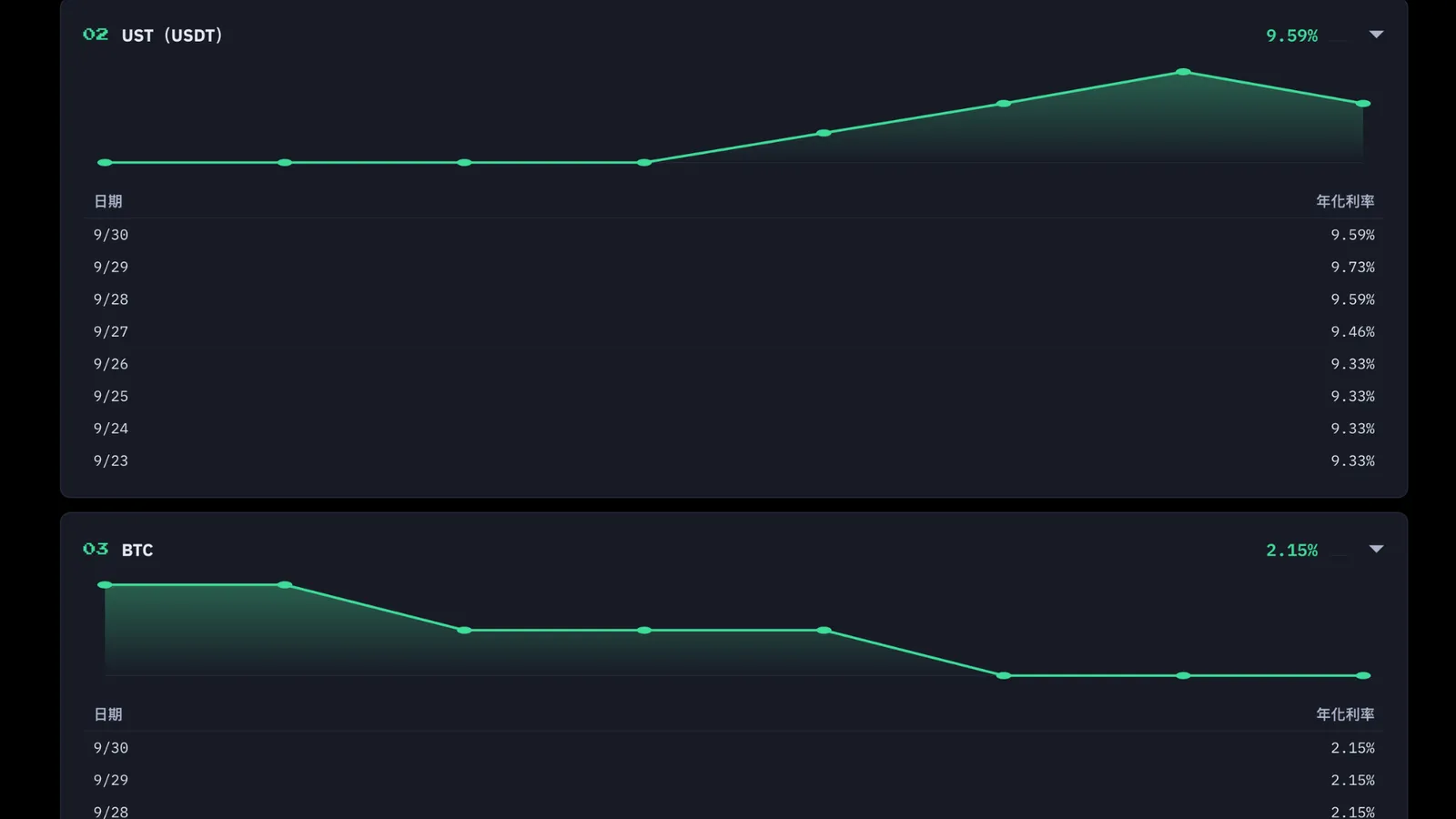
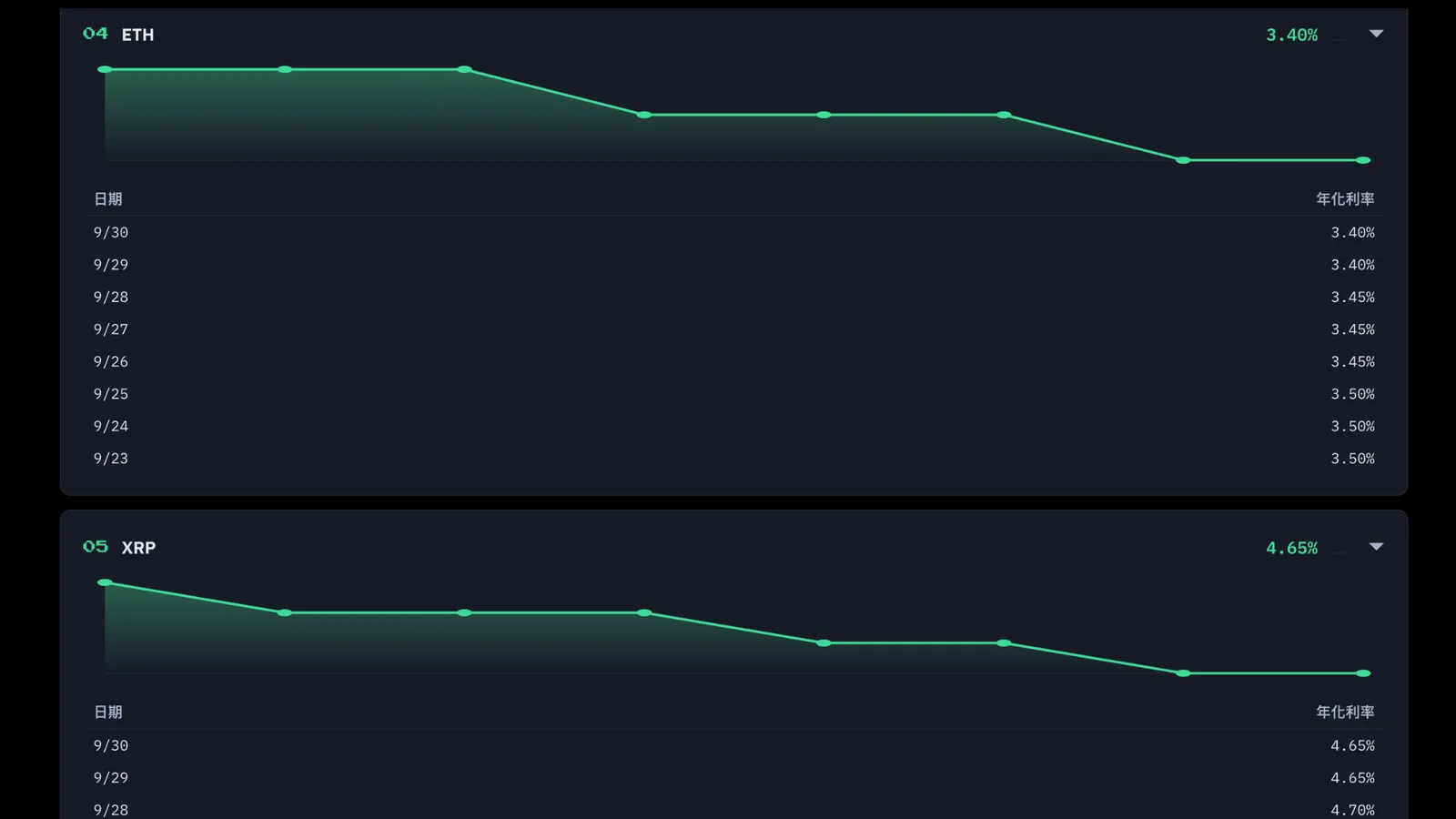
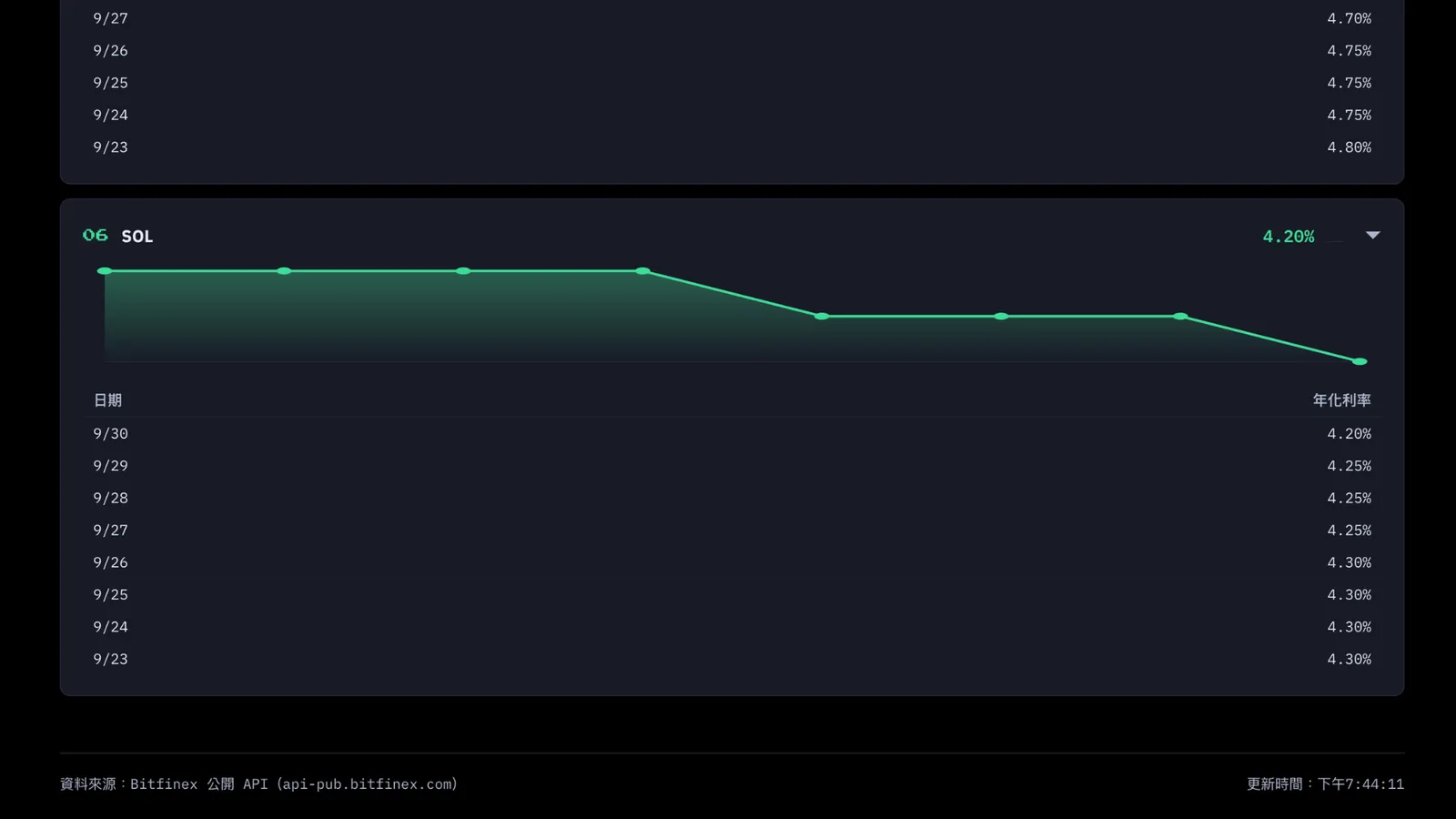
You'll see a card for every currency you've turned on for lending. Each card shows the current annual rate for that currency, with a chart of the last few days and a detail table underneath.
This tab is mainly here to help you understand why the bot's "fully automatic lending period" puts your money into a certain term at a certain time. If you notice that on some day, longer terms pay clearly better than shorter ones, the bot will tend to put more of your funds into longer terms, and vice versa. It all follows the market you see here. It's not just made up out of thin air.
2. PRO Plan: Smarter Automation, Bigger Funds
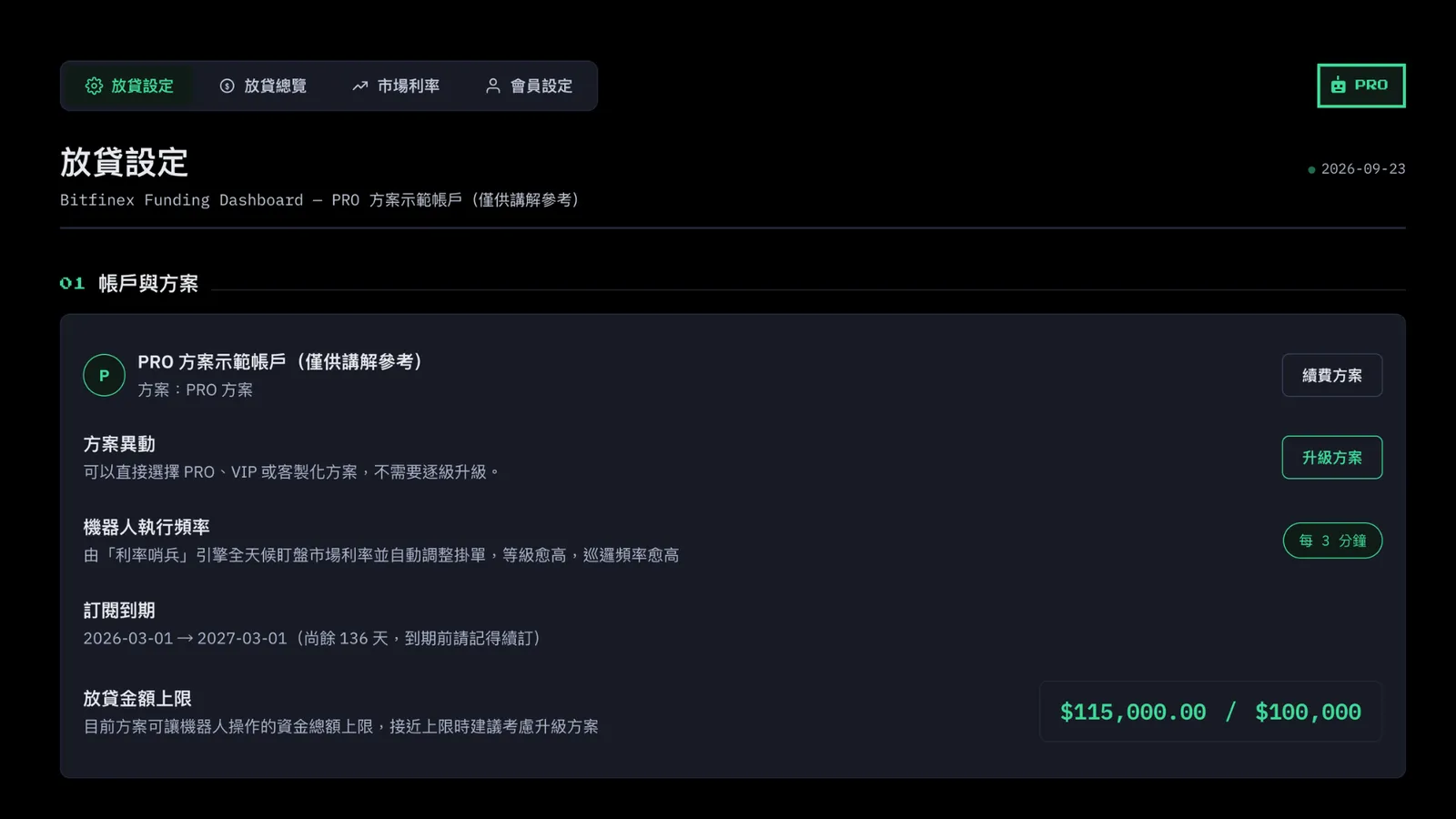
Account and Plan
Bot run frequency: once every 3 minutes
Lending amount limit: $100,000
Lending Preferences
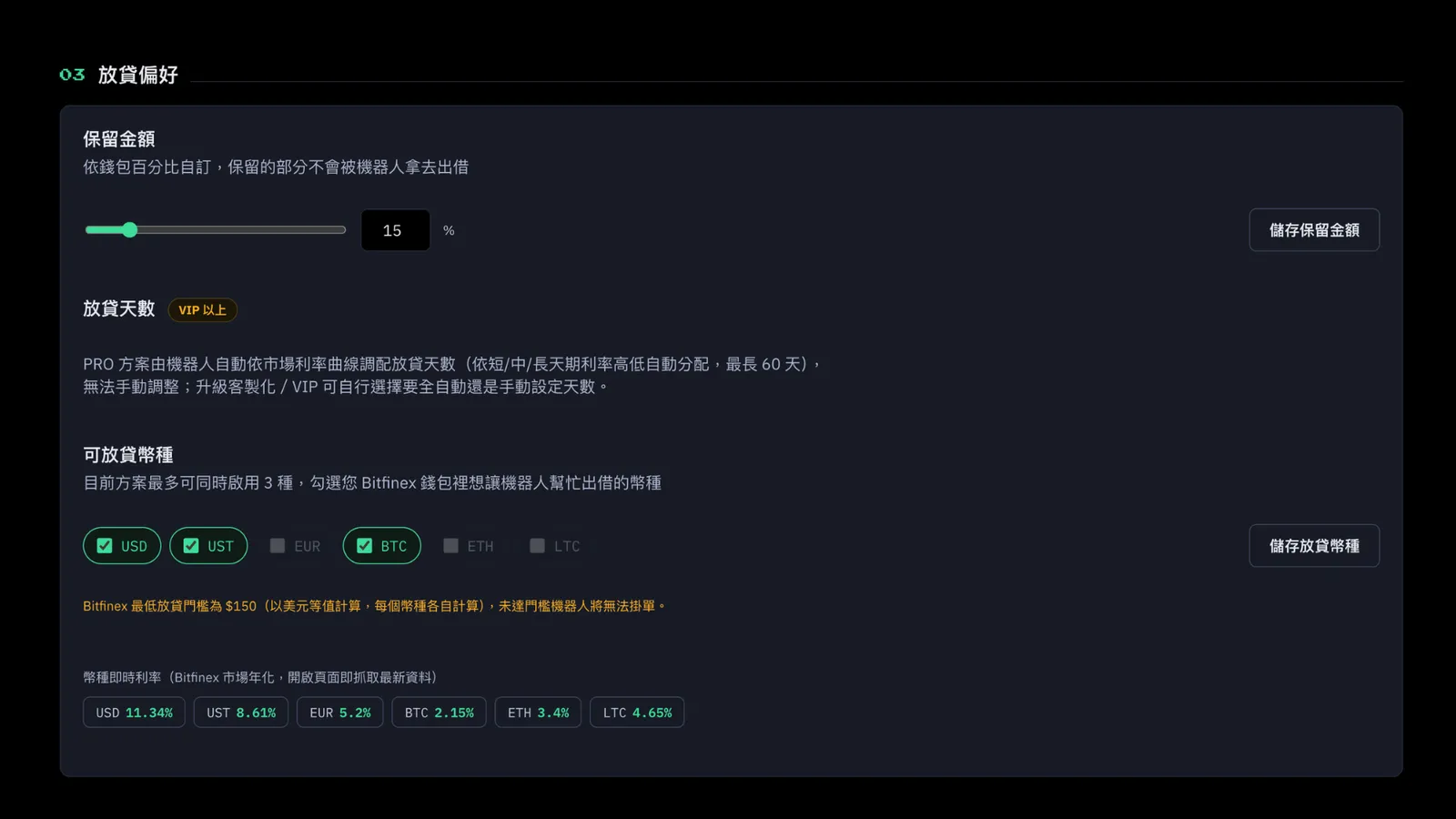
Reserve Amount: yes. You can set what percentage of your wallet balance you want to keep out of lending, so you can use it yourself.
Lending Period: fully automatic mode. The bot looks at the market rates for short, medium, and long terms and spreads your funds across the best mix of days. Adjusting the days yourself is a VIP-and-above feature.
Currencies: PRO can use 3 currencies.
Monthly Statement / Earnings Report Download
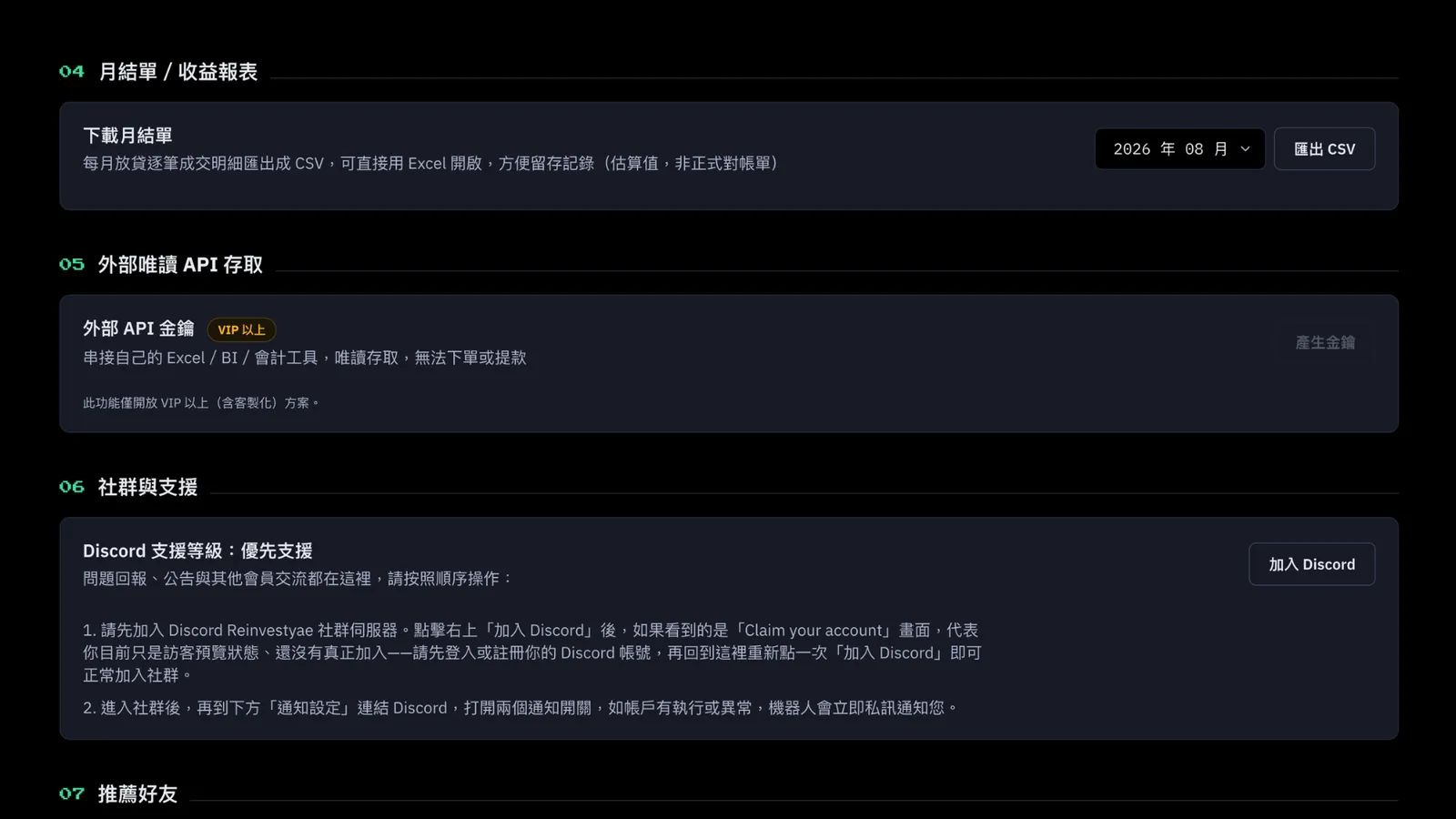
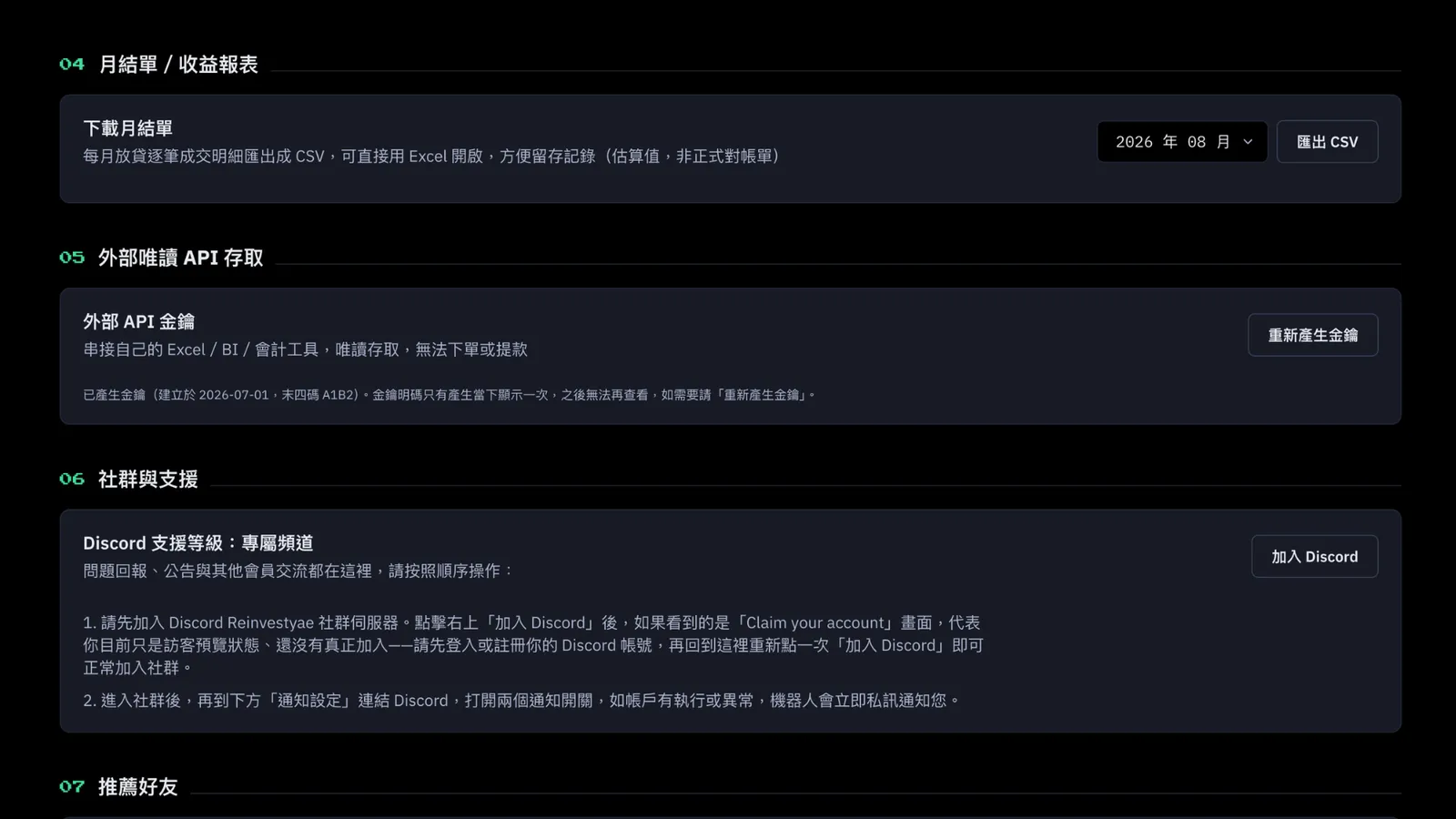
PRO has it. You can download your monthly lending details as a CSV.
External Read-Only API Access
PRO doesn't have it. That's a VIP-and-above feature.
Community and Support
Every plan can join the ReinvestYae Discord community. PRO gets proactive support.
Refer a Friend
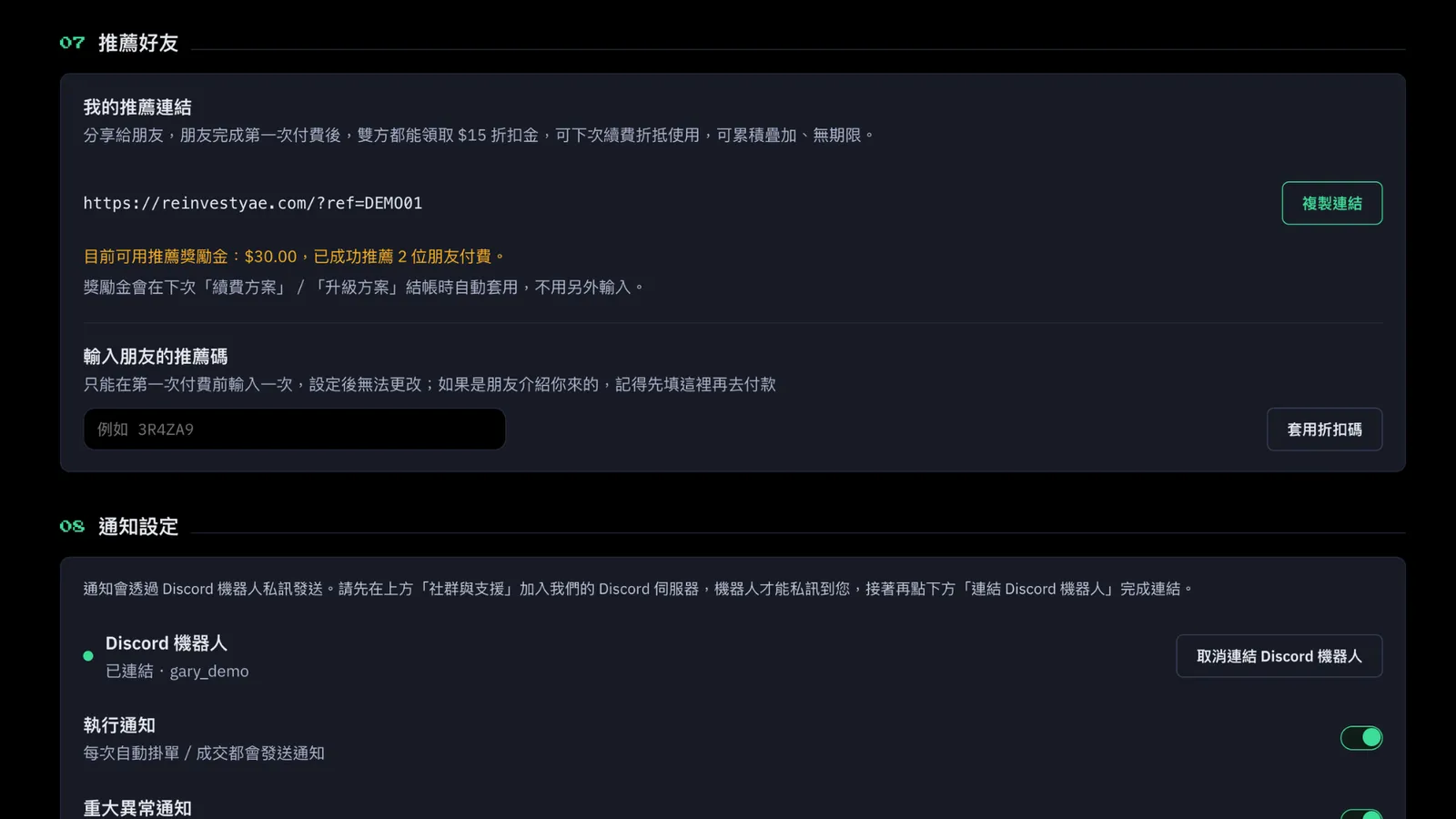
Every plan can share with friends and earn a $15 discount credit.
Discord Bot
Bot notifications: yes. You can turn on "Execution Notifications" for offer and match alerts, and critical alerts still come through too.
PRO Lending Overview
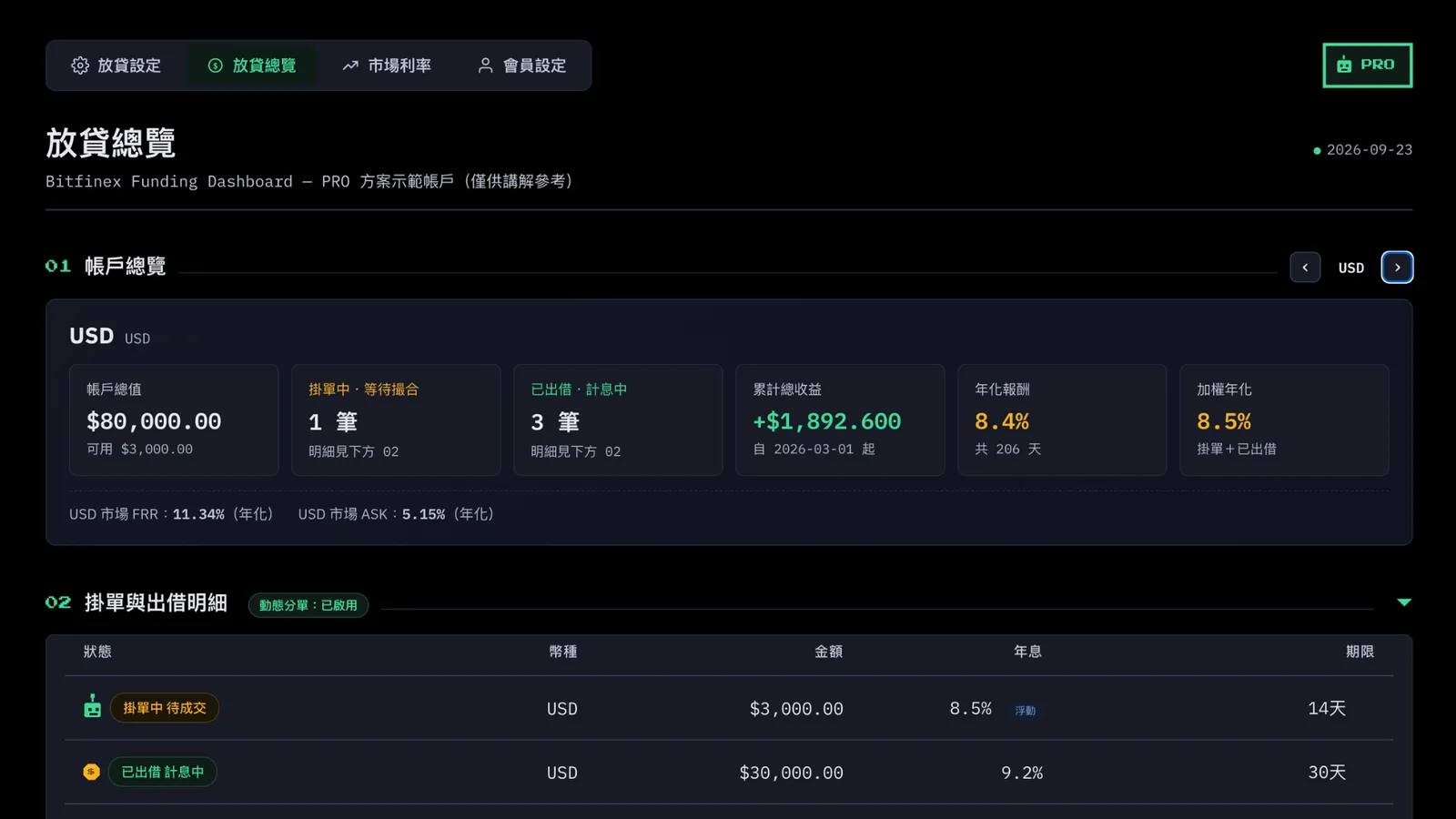
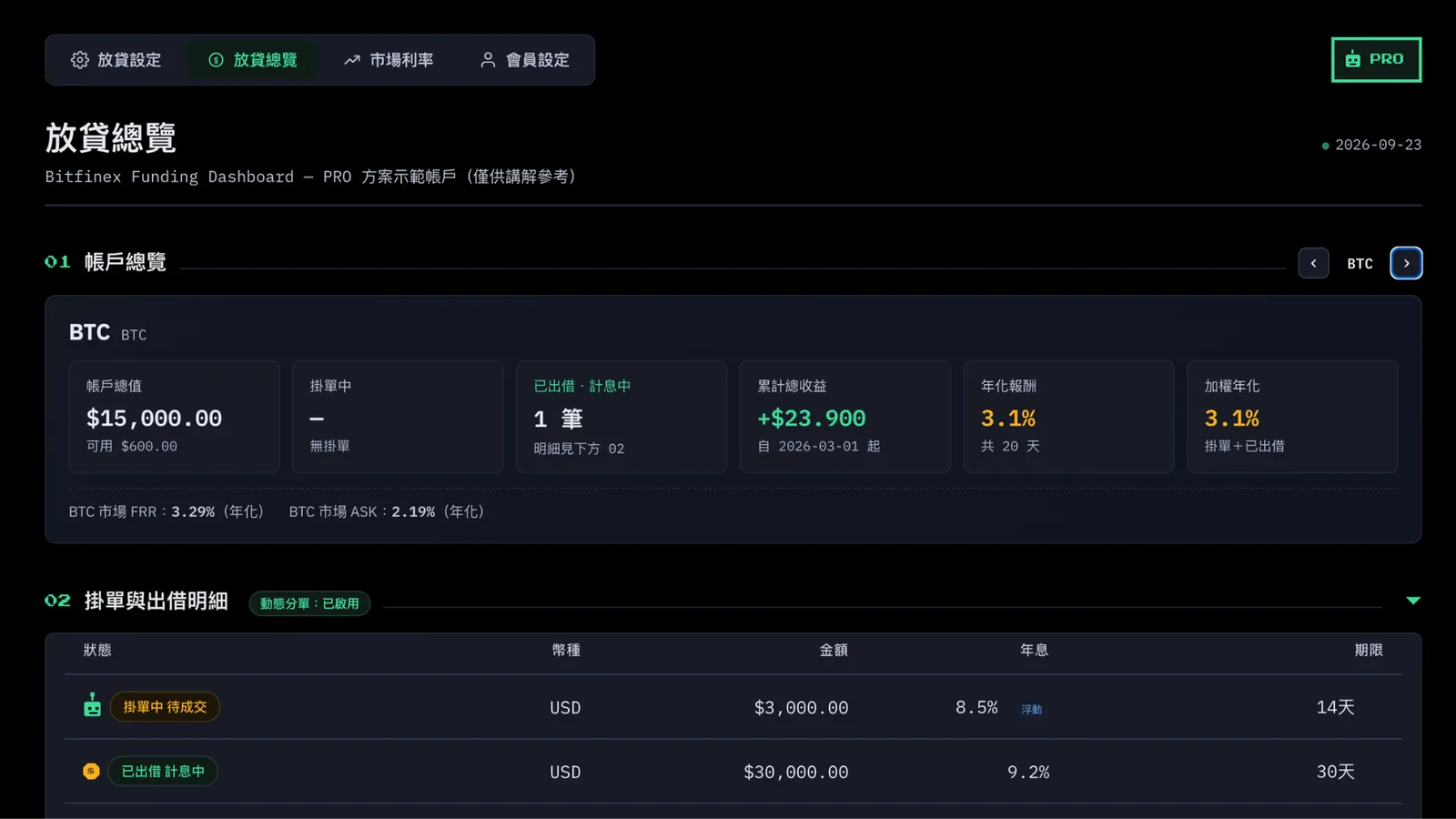
Account Overview:
you can lend 3 currencies. On the right, use the left and right arrows to flip through each currency's info. PRO also gets a higher lending amount, more offers and loans, and a higher annual rate and weighted annual rate.
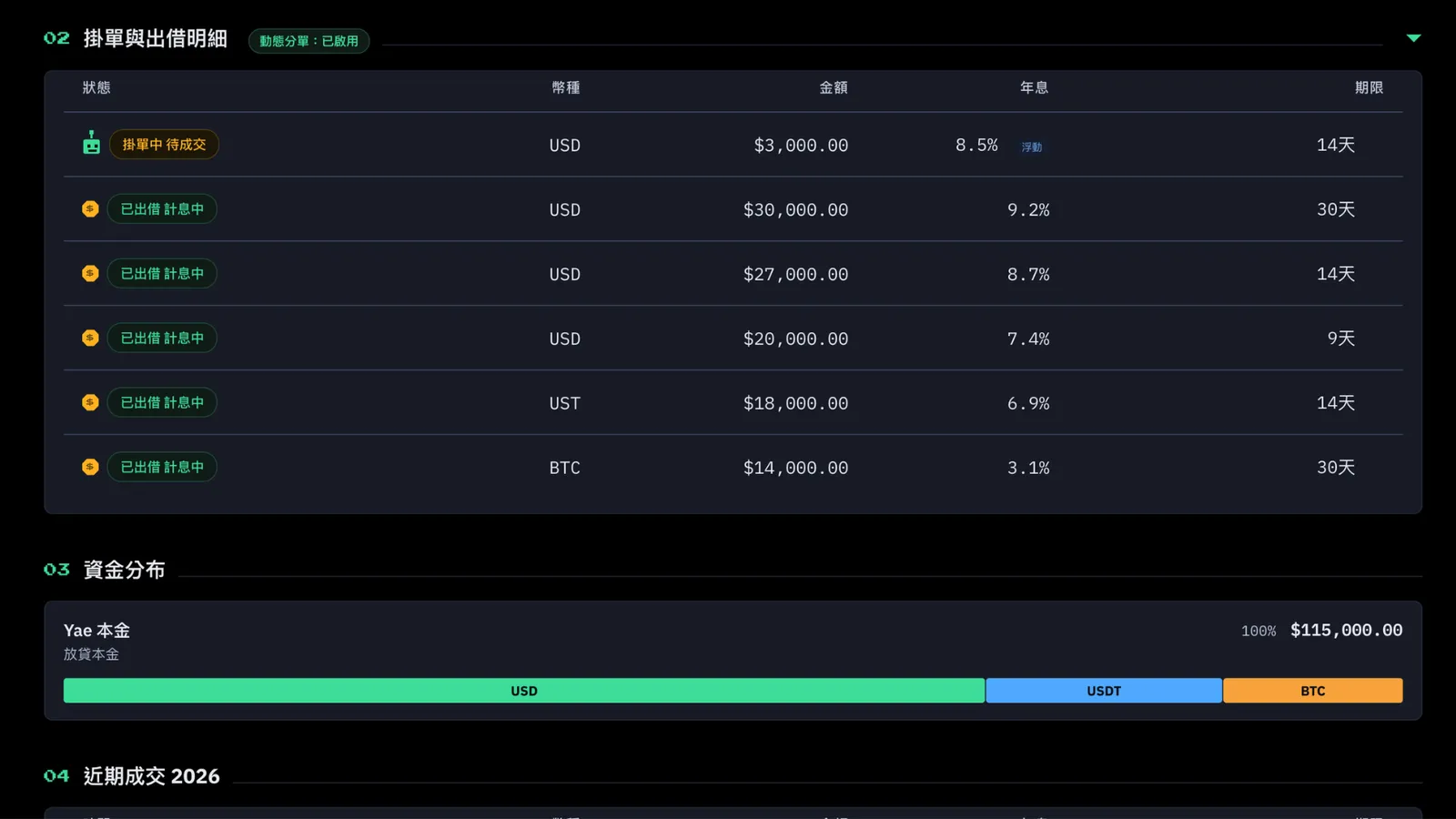
Offers and Loan Details:
when an offer is pending, you'll see your plan's robot. PRO's is a green robot. (A robot means the bot has already put your funds out there and is waiting for a borrower. A coin means the loan went through and you're earning interest.) If the details list feels too long, use the collapse arrow on the right to fold it up.
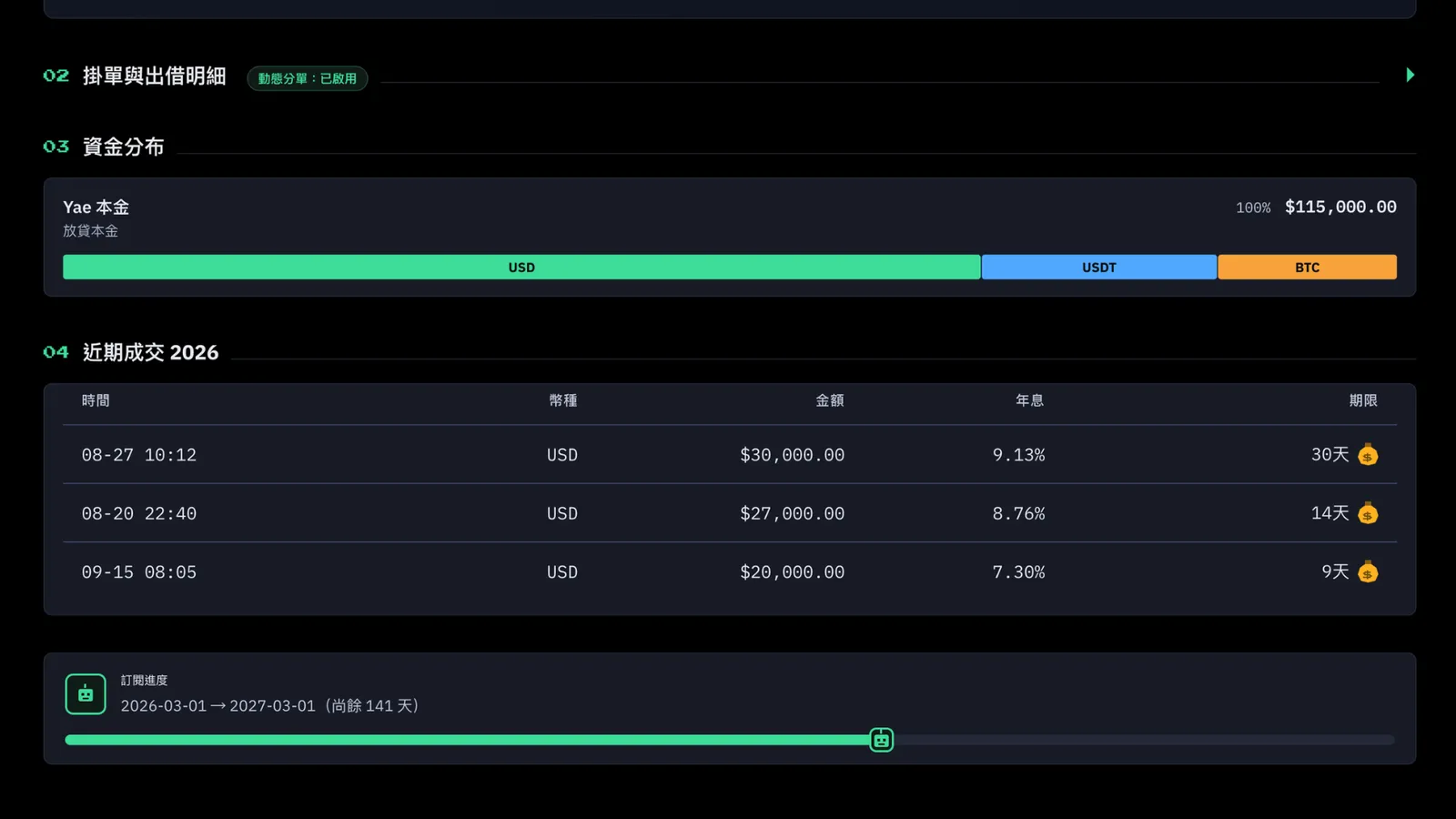
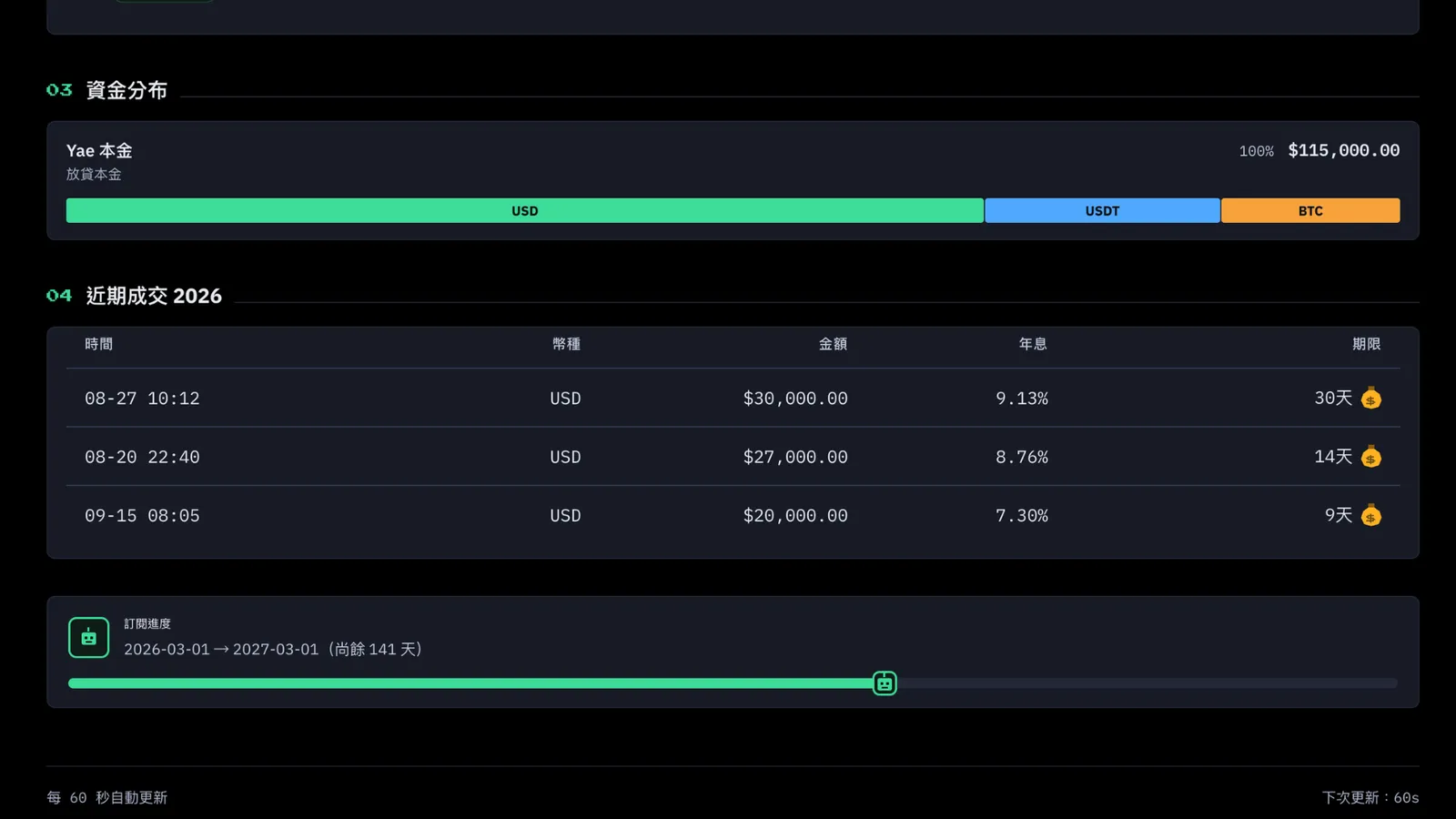
Fund Distribution:
this shows the different currencies in your Funding wallet. It also tells you the bot lends 100% of the currencies you picked, except when the amount is too small or the money is in your reserve and can't be lent.
Recent Trades:
this shows the date, currency, amount, rate, and term of your recent trades, so you can check on things and adjust.
At the bottom, there's a cute little reminder. Once you start a paid subscription, it'll also remind you how long your bot subscription has left.
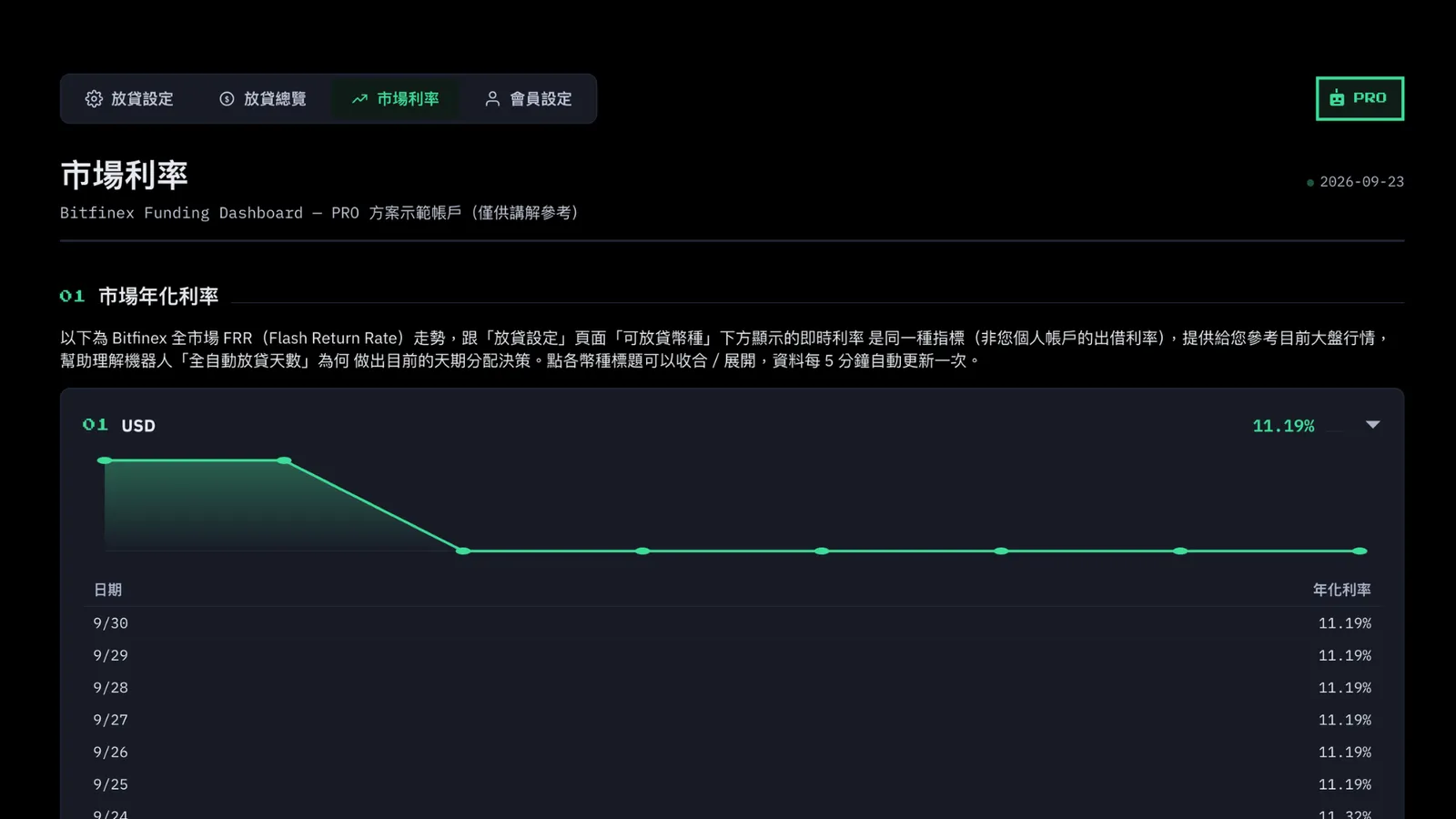
PRO Market Rates
This also shows live rates across the whole Bitfinex market.
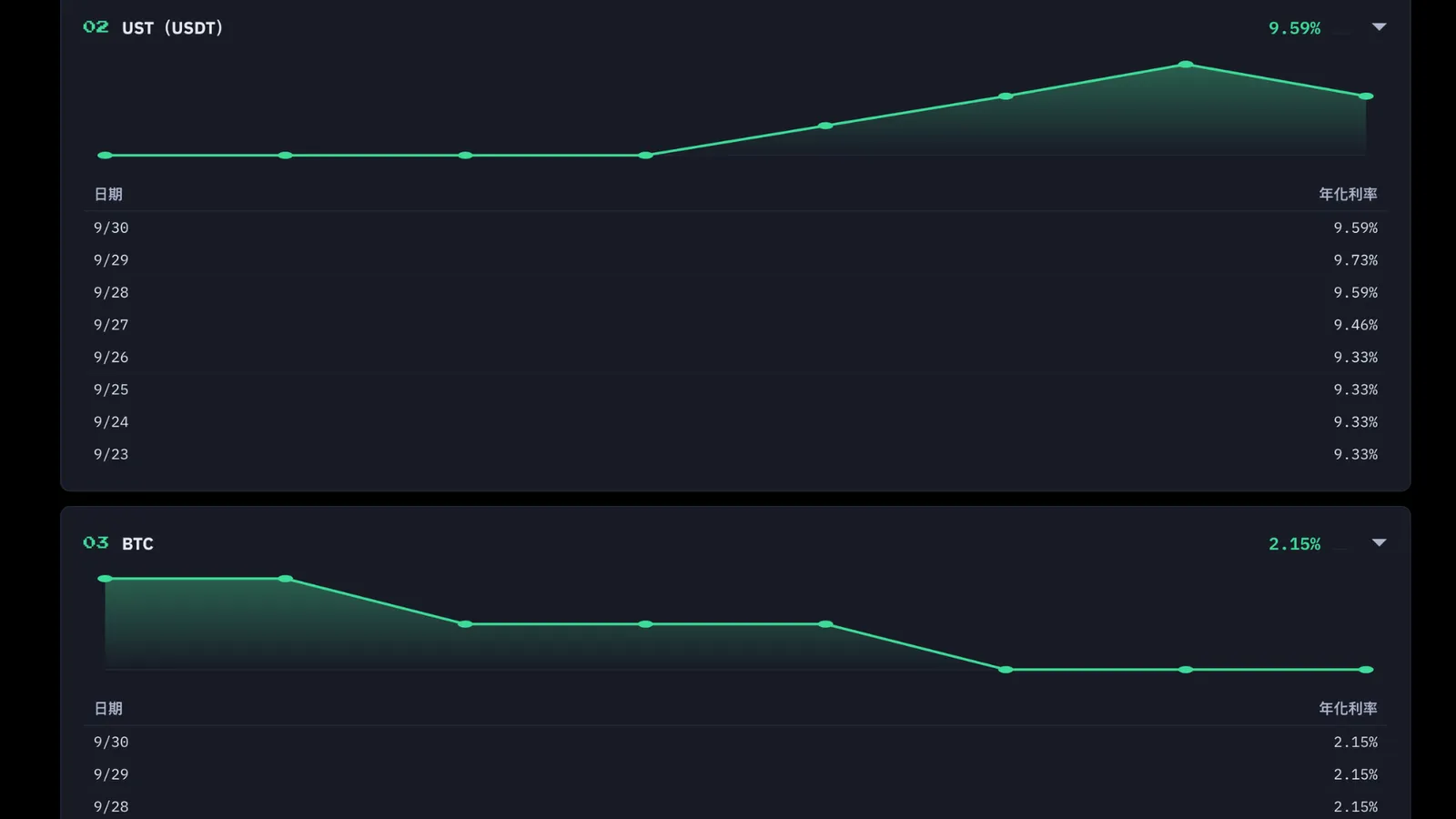
You'll see the currencies you've turned on for lending. PRO can use 3 currencies, one card per currency.
Click a card's title to collapse or expand it. If you've turned on a bunch of currencies and the page gets too long, you can fold them up to keep things tidy.
3. VIP Plan: Full Features, Even Bigger Funds
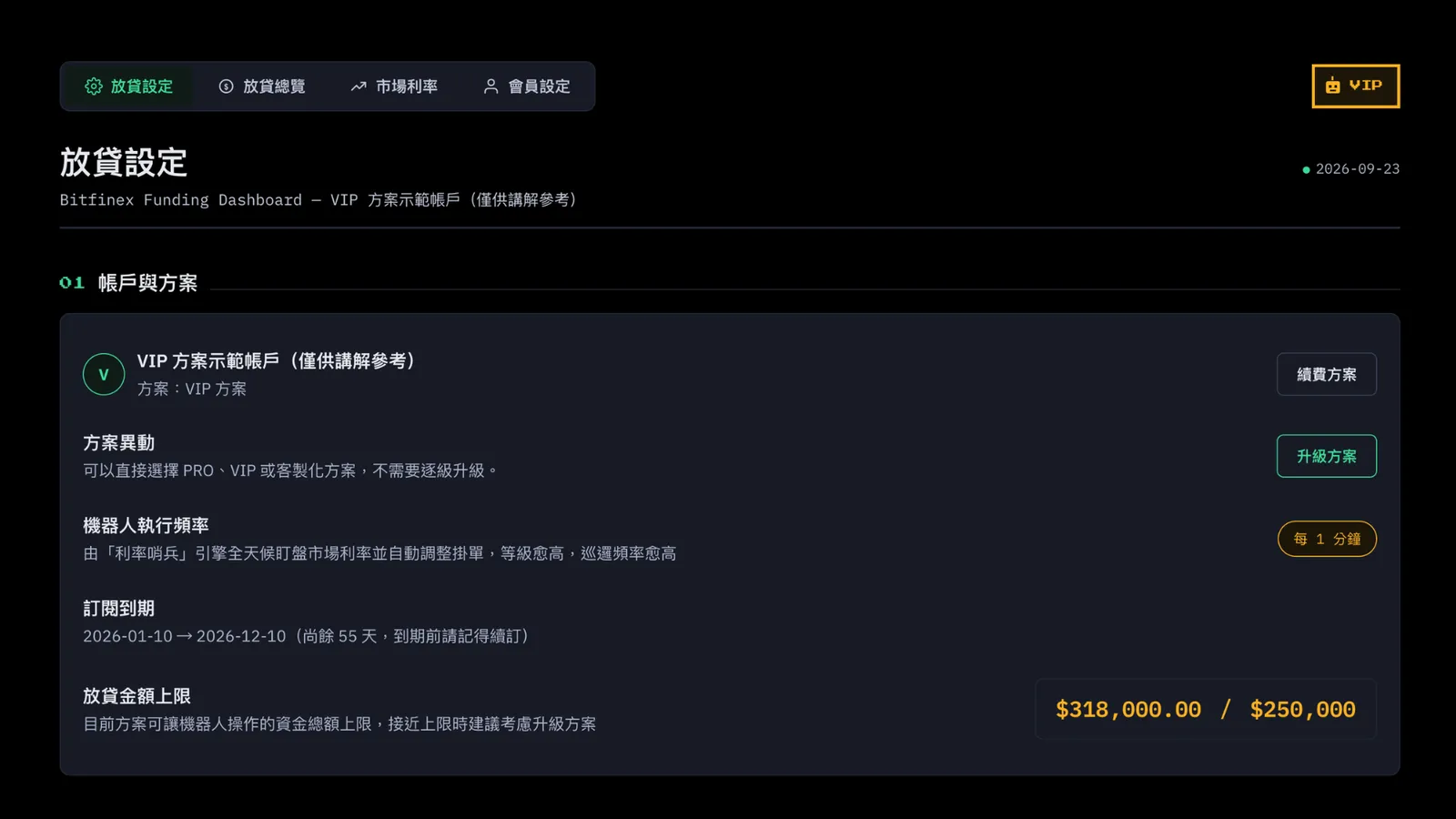
Account and Plan
Bot run frequency: once every 1 minute
Lending amount limit: $250,000
Lending Preferences
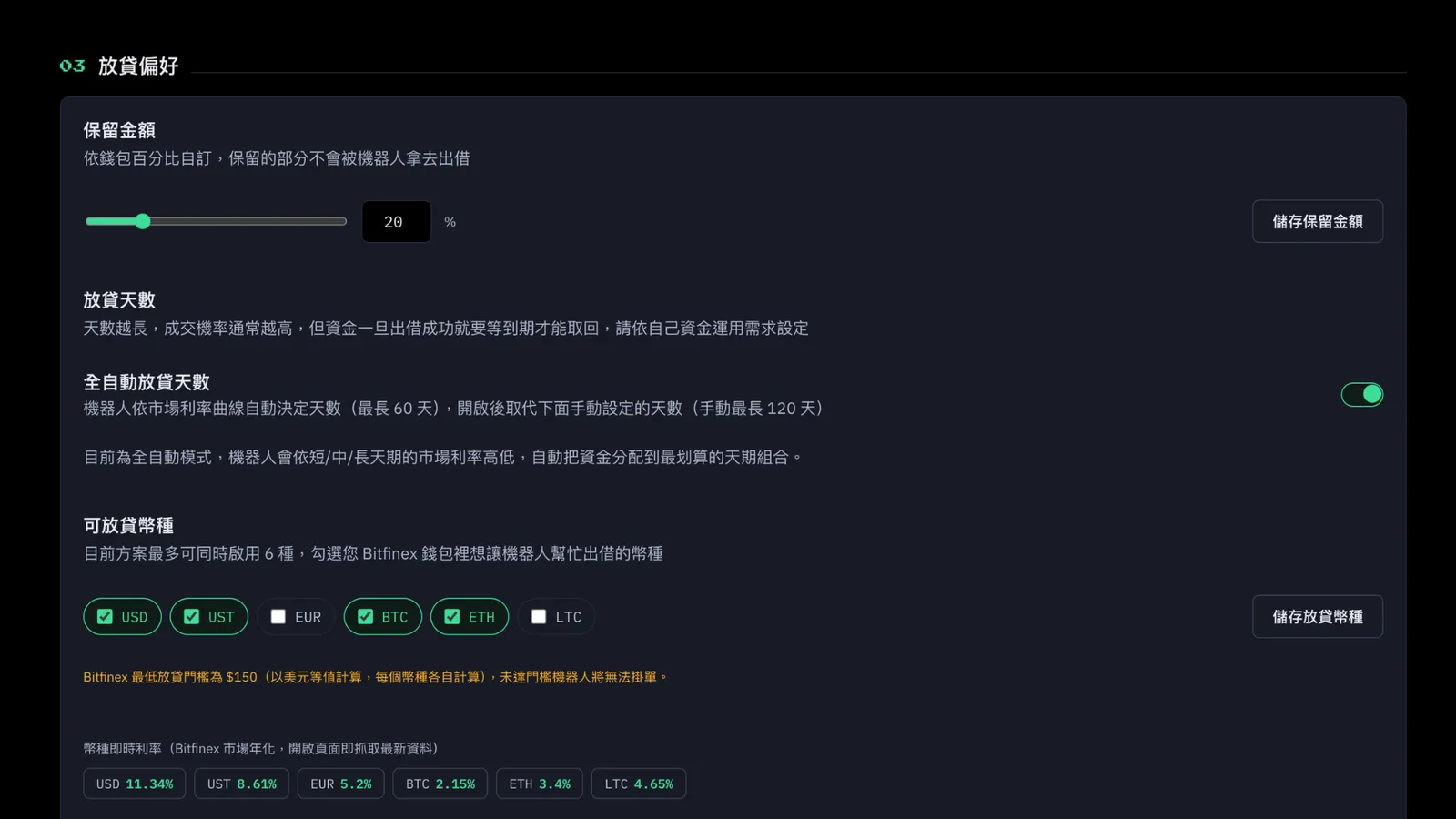
Reserve Amount: yes. You can set what percentage of your wallet balance you want to keep out of lending, so you can use it yourself.
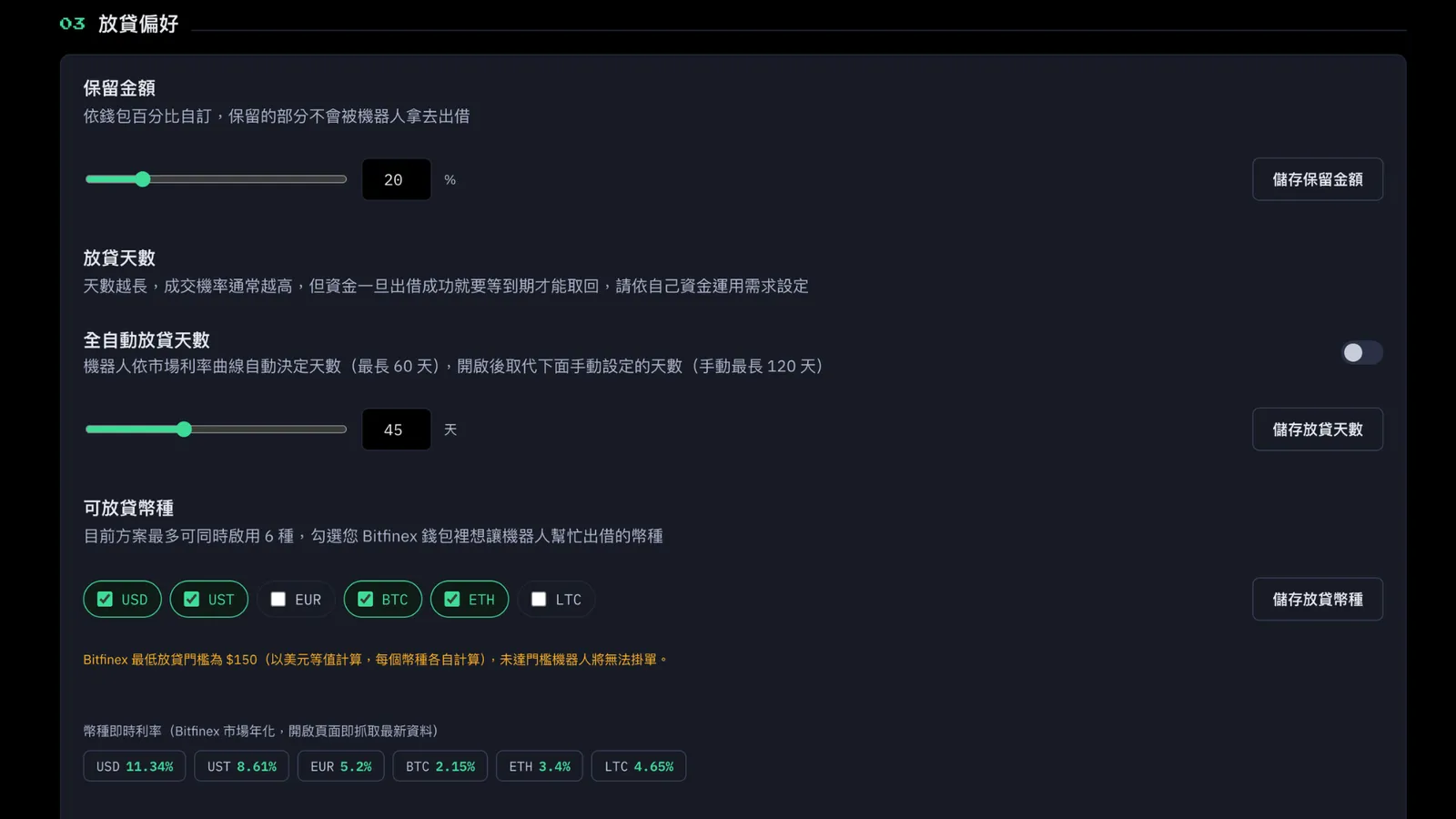
Lending Period: you can choose either "Fully Automatic" or "Manual."
- Fully Automatic: same as PRO. The bot spreads your funds across terms based on the market rate curve.
- Manual: you can pick whatever number of days you like to lend, up to 120 days.
- Currencies: VIP can use 6 currencies.
Monthly Statement / Earnings Report Download
Yes. You can download your monthly lending details as a CSV.
External Read-Only API Access
Yes. You can connect your own Excel, BI, or accounting tools and generate your lending records automatically, so you don't have to organize them by hand.
Community and Support
Every plan can join the ReinvestYae Discord community. VIP gets priority support.
Refer a Friend
You can share with friends and earn a $15 discount credit too.
Discord Bot
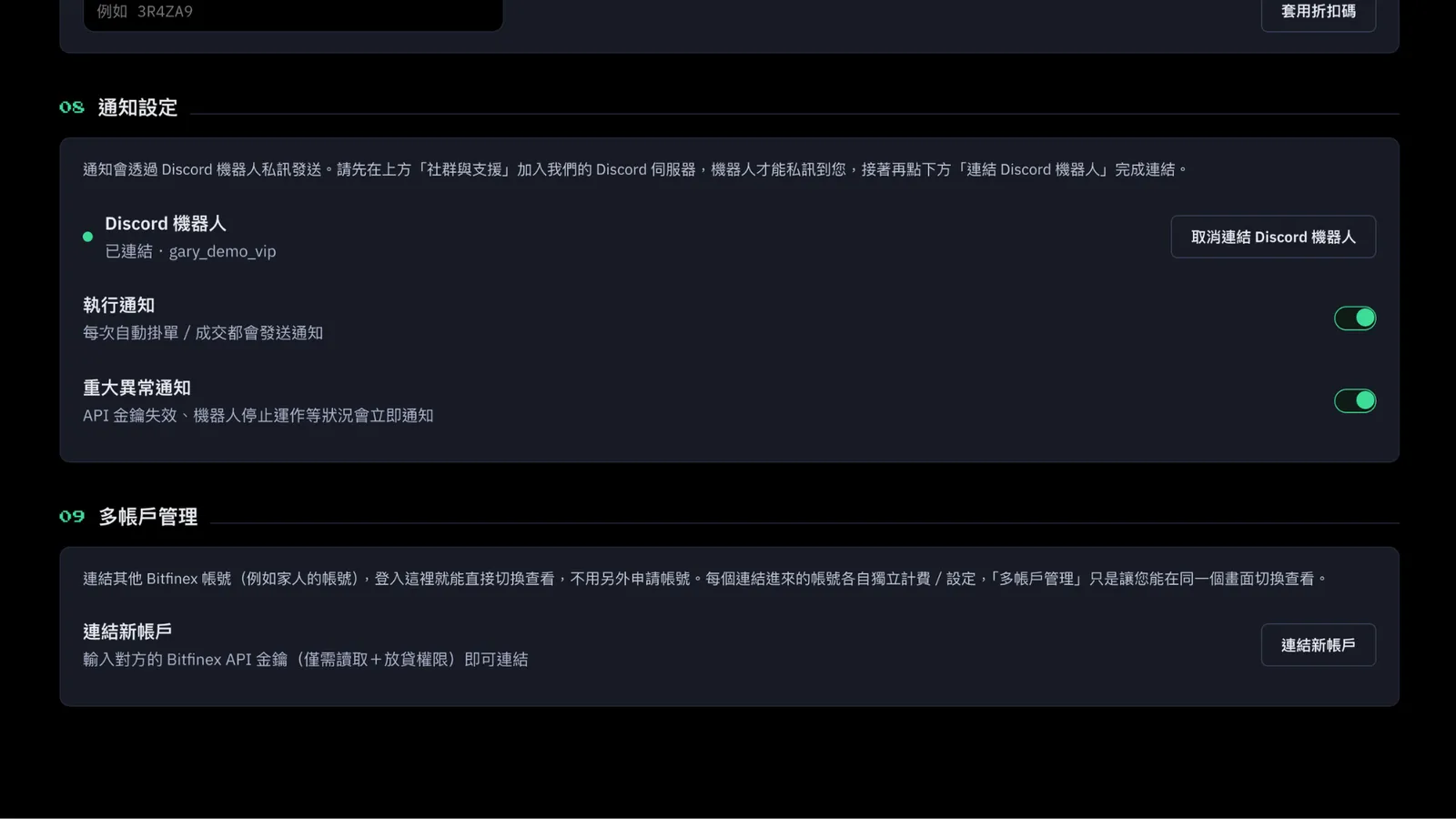
Bot notifications: yes. You can turn on "Execution Notifications" for offer and match alerts, and critical alerts still come through too.
Multi-Account Management
You can link multiple Bitfinex accounts together and manage them in one place, up to 3 accounts.
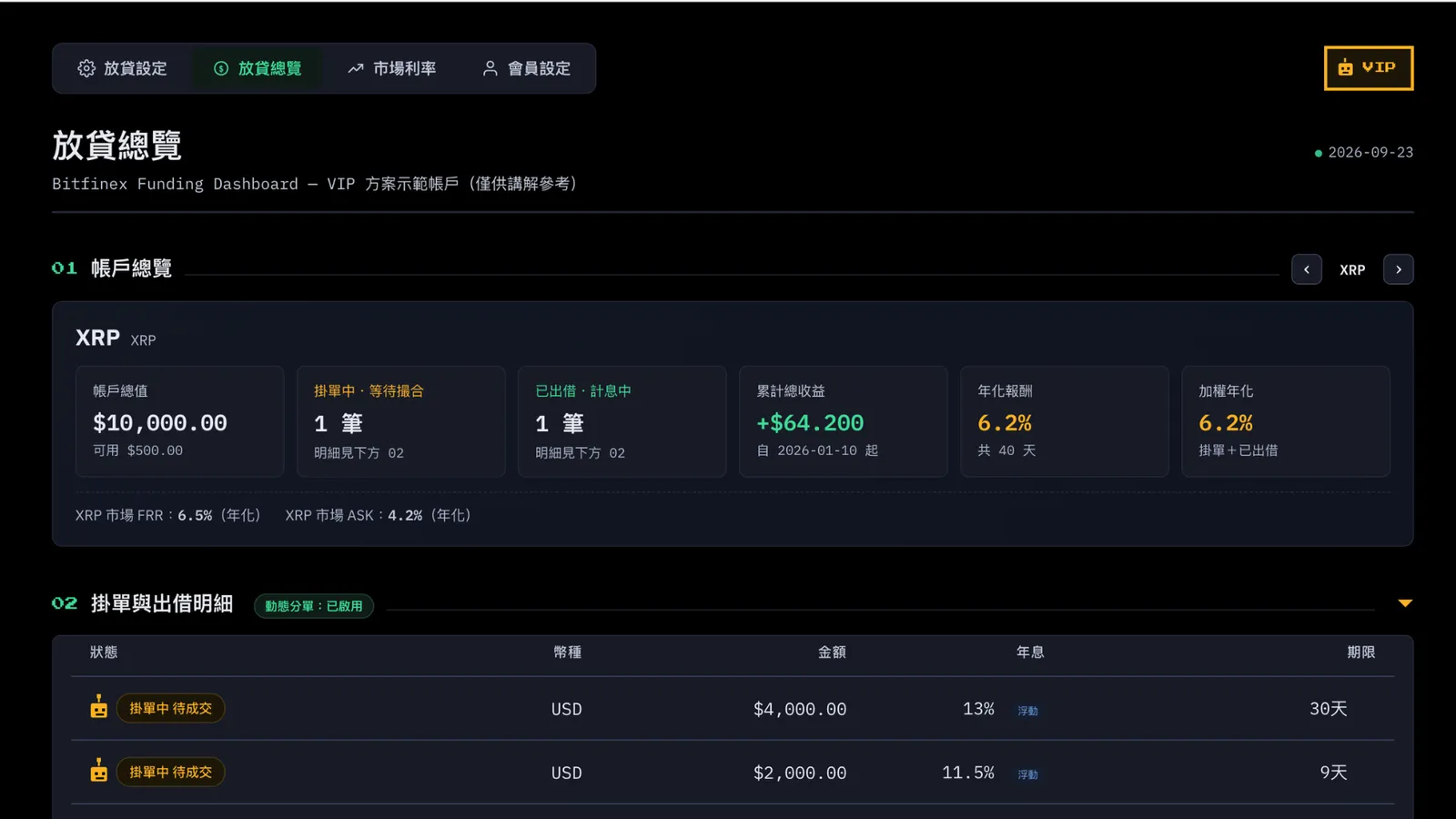
VIP Lending Overview
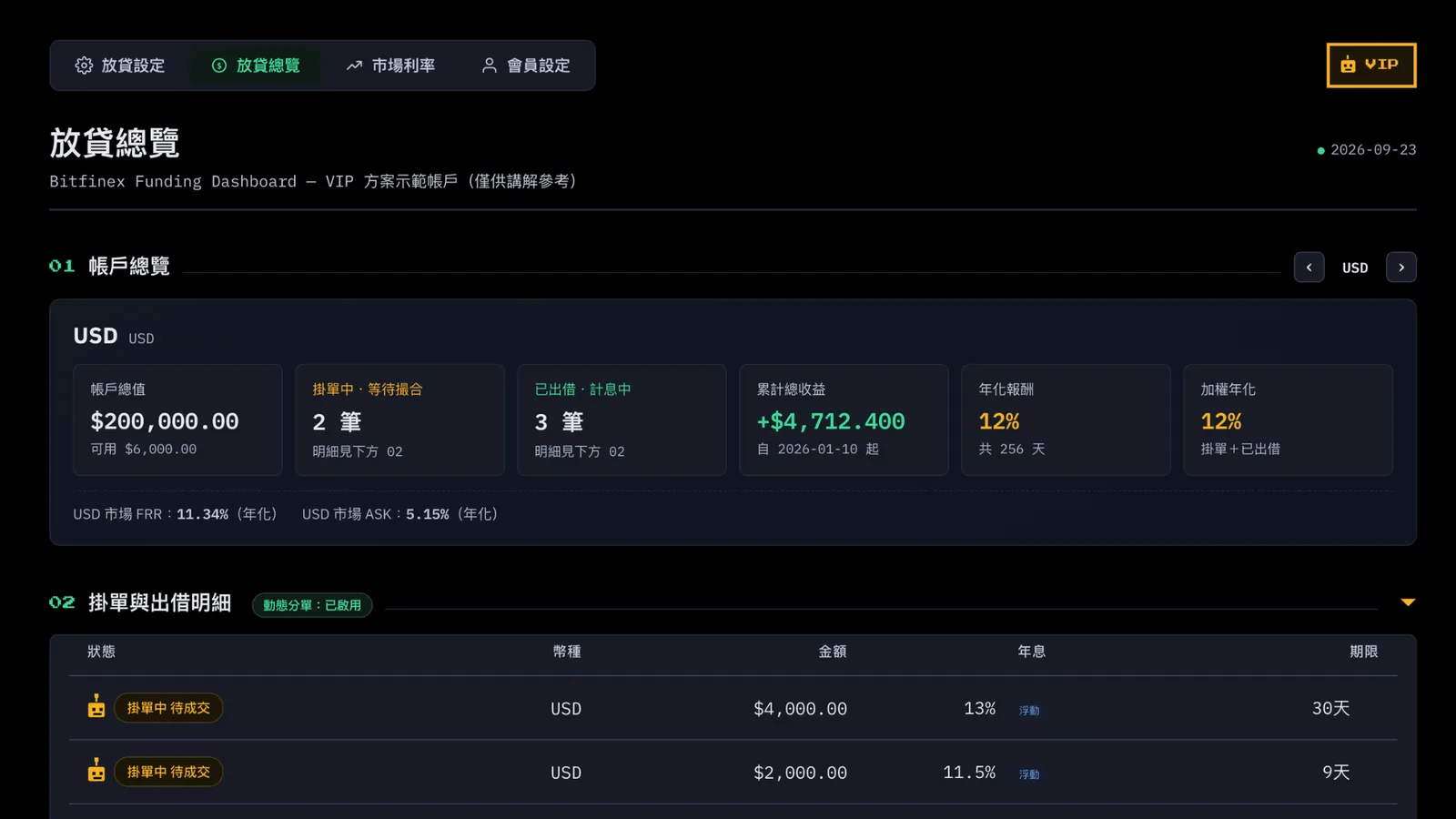
Account Overview:
you can lend 6 currencies. Use the left and right arrows on the right to flip through them. You get an even bigger lending amount, a lot more offers and loans, and a higher annual rate and weighted annual rate.
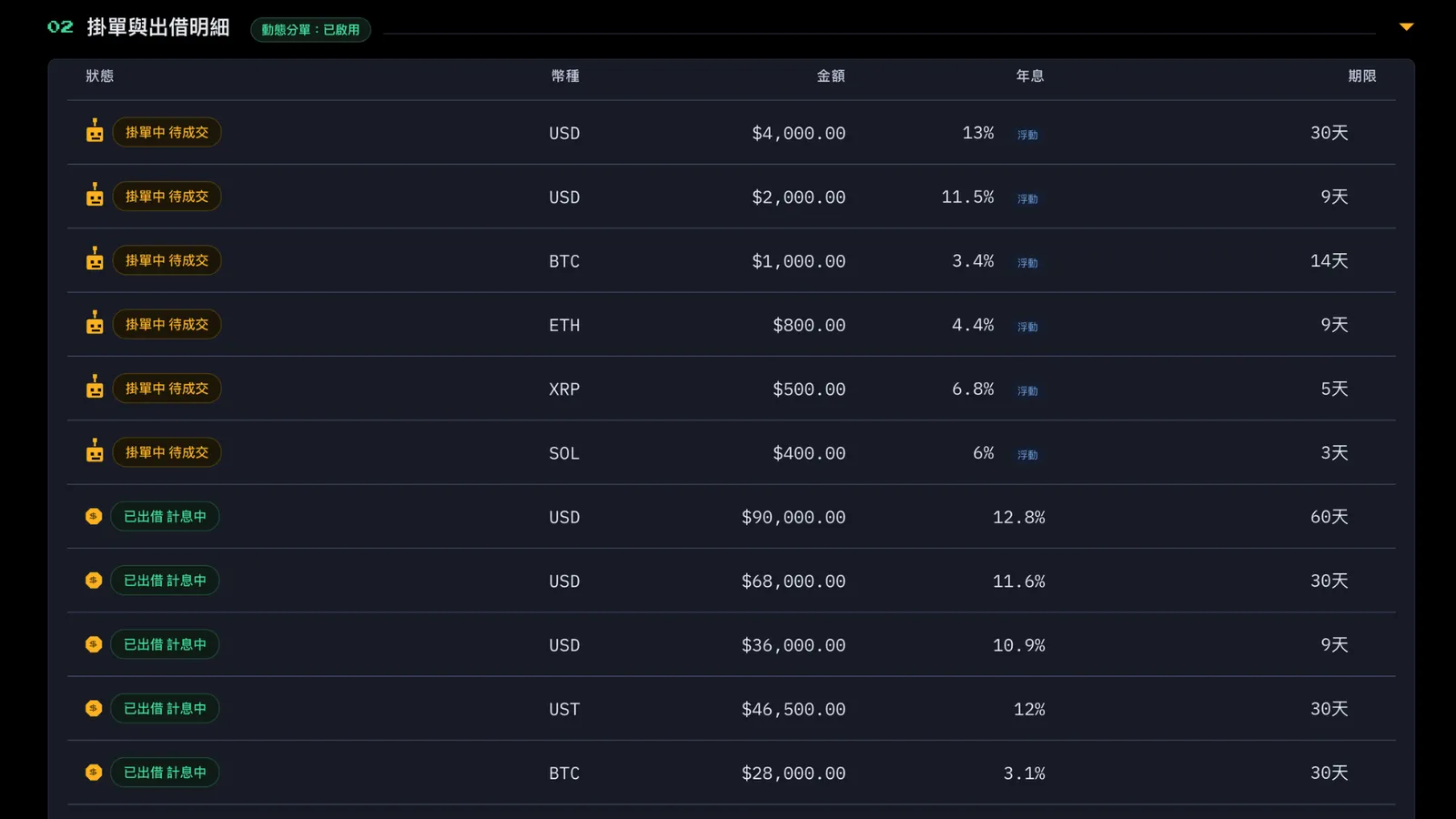
Offers and Loan Details:
when an offer is pending, you'll see your plan's robot. VIP's is a gold robot. If the page gets too long, you can use the collapse arrow on the right to fold it up.
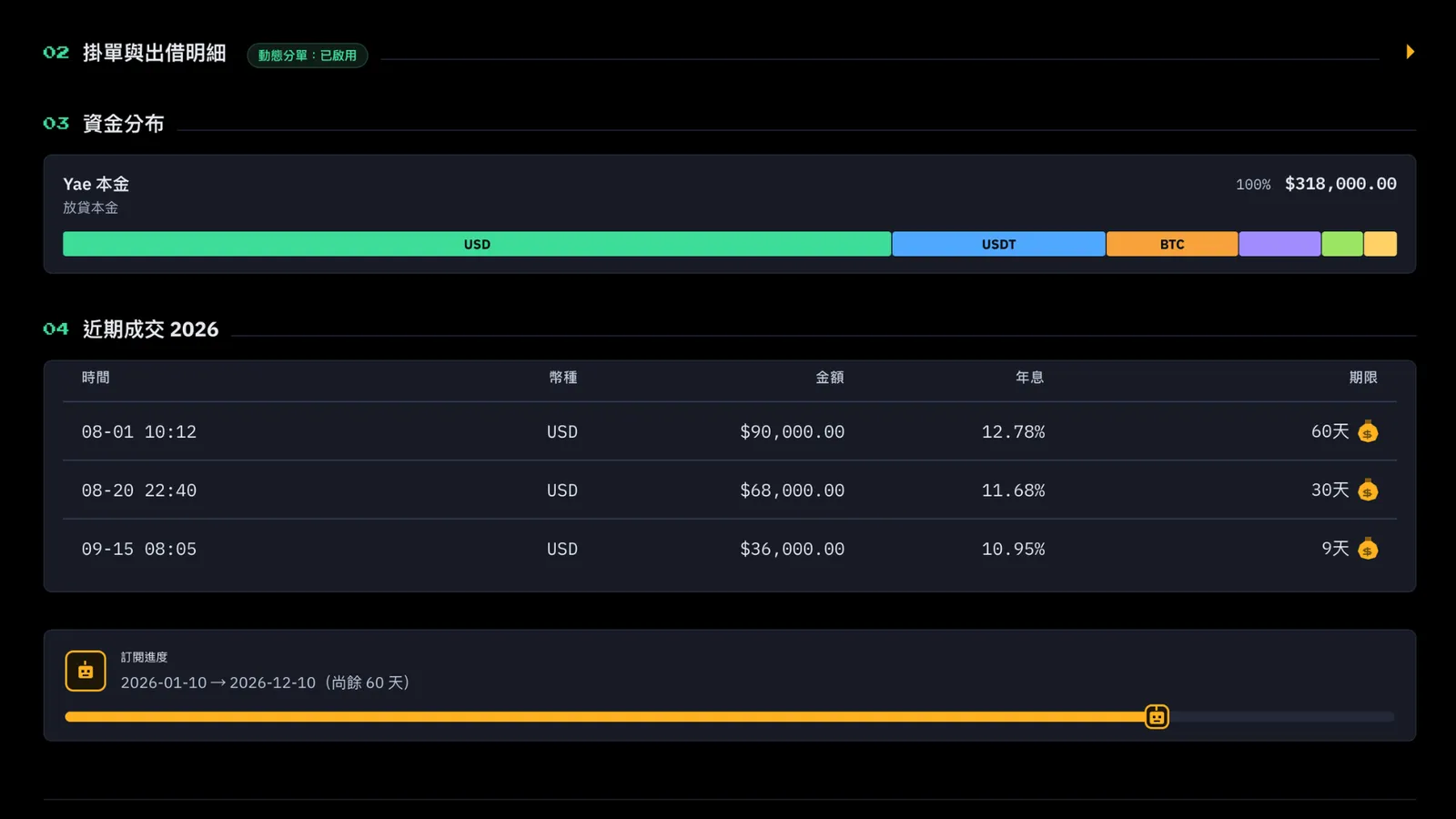
Fund Distribution:
this shows the different currencies in your Funding wallet. It also tells you the bot lends 100% of the currencies you picked, except when the amount is too small or the money is in your reserve and can't be lent.
Finally, there’s the same cute subscription-expiry reminder bot.
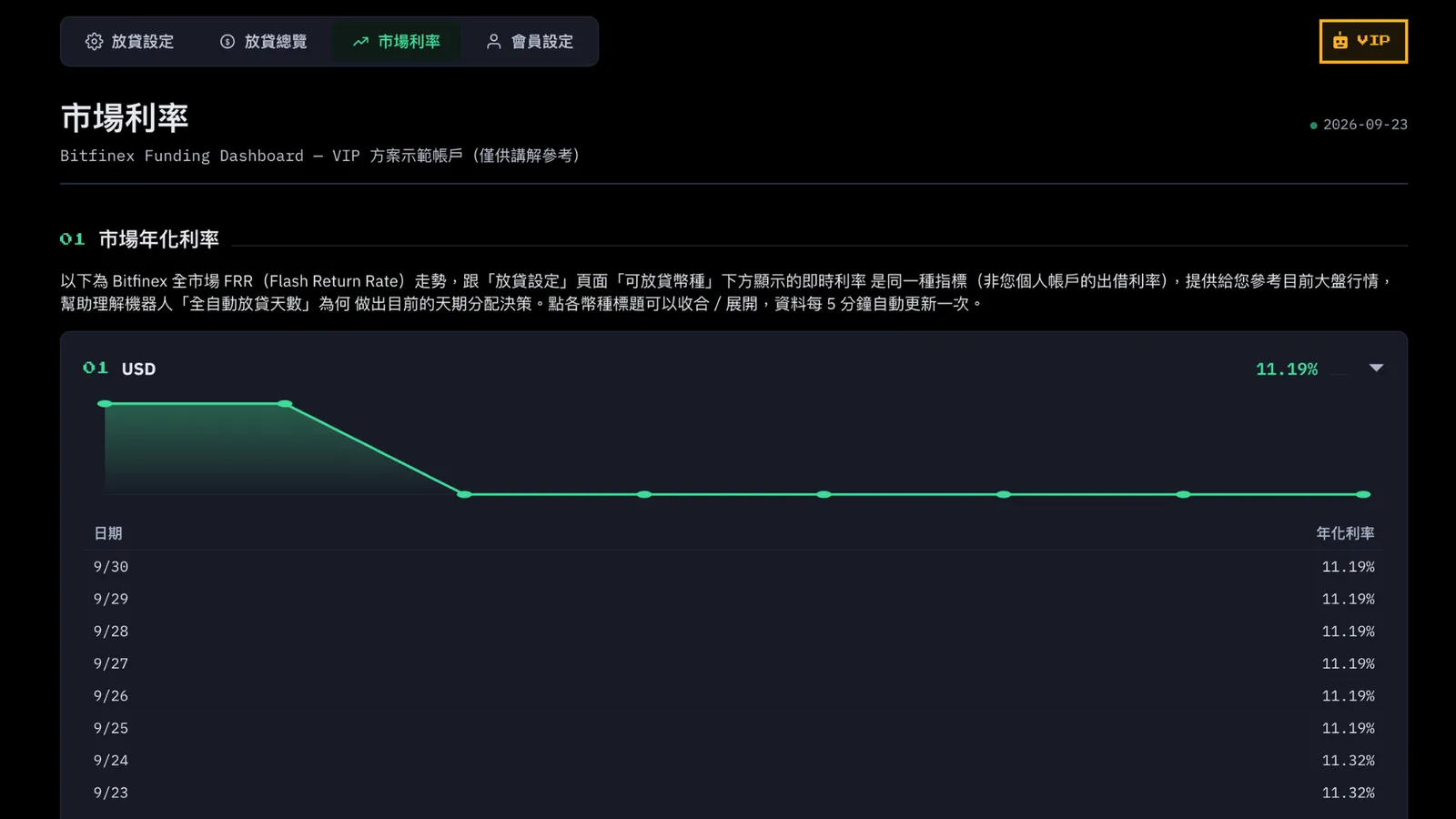
VIP Market Rates
This tab shows live rates across the whole Bitfinex market. It's separate from the rates on your own loans. It's just there as a market reference for you.
You’ll see the currencies you currently have enabled for lending. VIP can use 6 currencies, one card per currency.
As before, click a card title to collapse or expand it. If you have many currencies enabled, collapsing them keeps the screen tidy.
4. Custom Plan: Huge Funds, No Limits
Account and Plan
“Bot Run Frequency”: Highest frequency
“Lending Limit”: No limit
Lending Preferences
Reserve Amount: yes. You can set what percentage of your wallet balance you want to keep out of lending, so you can use it yourself.
“Lending Term”: Choose “Auto” or “Manual.” Term flexibility is the same as VIP.
“Lending Currencies”: Unlimited.
Monthly Statement / Earnings Report Download
Yes. You can download your monthly lending details as a CSV.
External Read-Only API Access
Yes. You can connect your own Excel, BI, or accounting tools and generate your lending records automatically, so you don't have to organize them by hand.
Community and Support
All plans can join the Discord Reinvestyae community. The Custom plan includes dedicated support with real-time replies from our team.
Refer a Friend
Every plan can share with friends and earn a $15 discount credit.
Discord Bot
Bot notifications: Yes (execution alerts + critical alerts).
Multi-Account Management
Yes (up to 6 accounts can be linked).
5.如何選擇適合自己的方案?
How to Choose
Still on the fence and just want to see how the bot works? FREE is plenty.
Already sure you want to lend for the long haul, with a decent amount of funds, and you want better rates, plus the Reserve Amount feature and reports? Go with PRO.
Got even bigger funds, want faster and higher rates, want to choose your own lending days, or want to connect your data to your own tools? Pick VIP.
If your funds are beyond the VIP limit and you want no limits on amount and service? Go with the Custom plan. You'll need to contact support so we can understand your needs and set the price.